
Fields
Products Field for WordPress Forms
The Products field lists the products or services a visitor can buy, then shows a live total. Free in Auto Form Builder.
What it is
The Products field is for the products or services visitors can buy. Each one has a name and a price, and can have a description and an image. It is included free.
How a visitor uses it
Visitors check the products they want and choose a quantity for each one. The quantity stays within the minimum and maximum you set. You can also limit how many products can be chosen.
Display styles
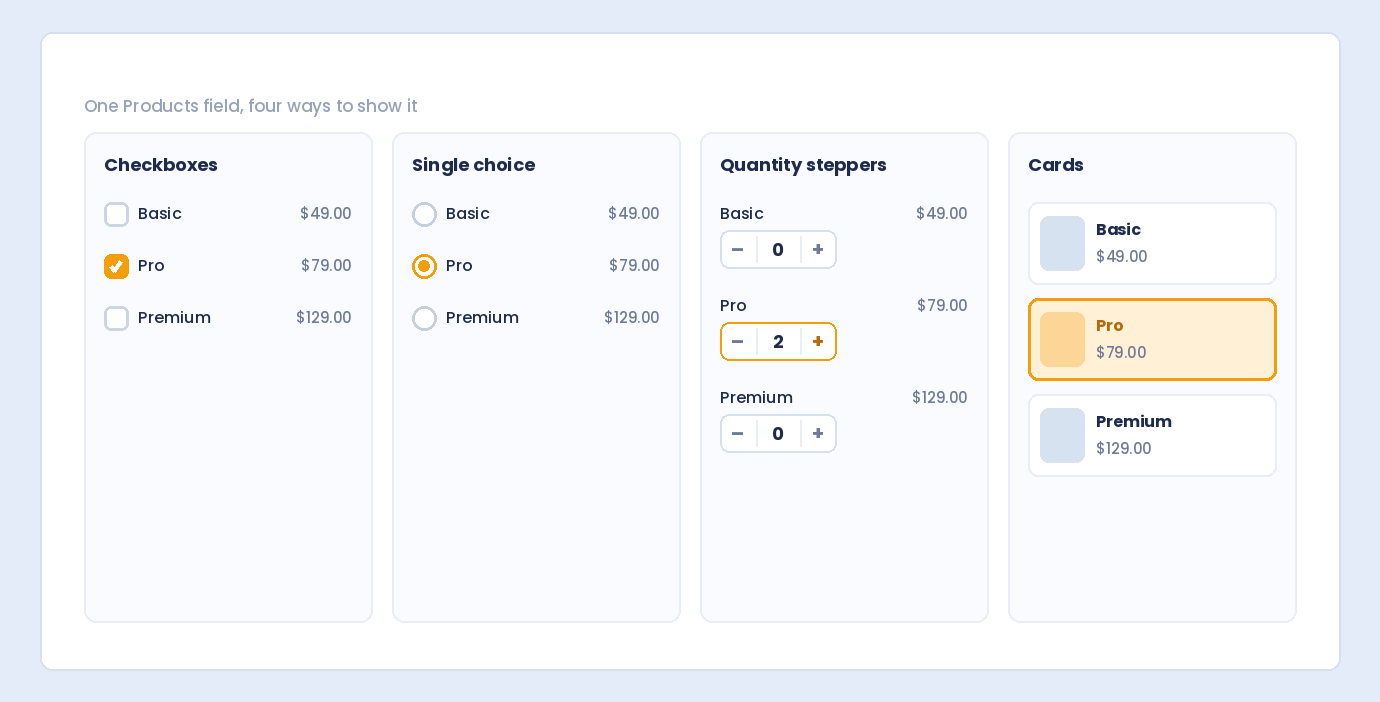
Show the list as checkboxes, a single choice, quantity steppers, or cards.
Live order summary
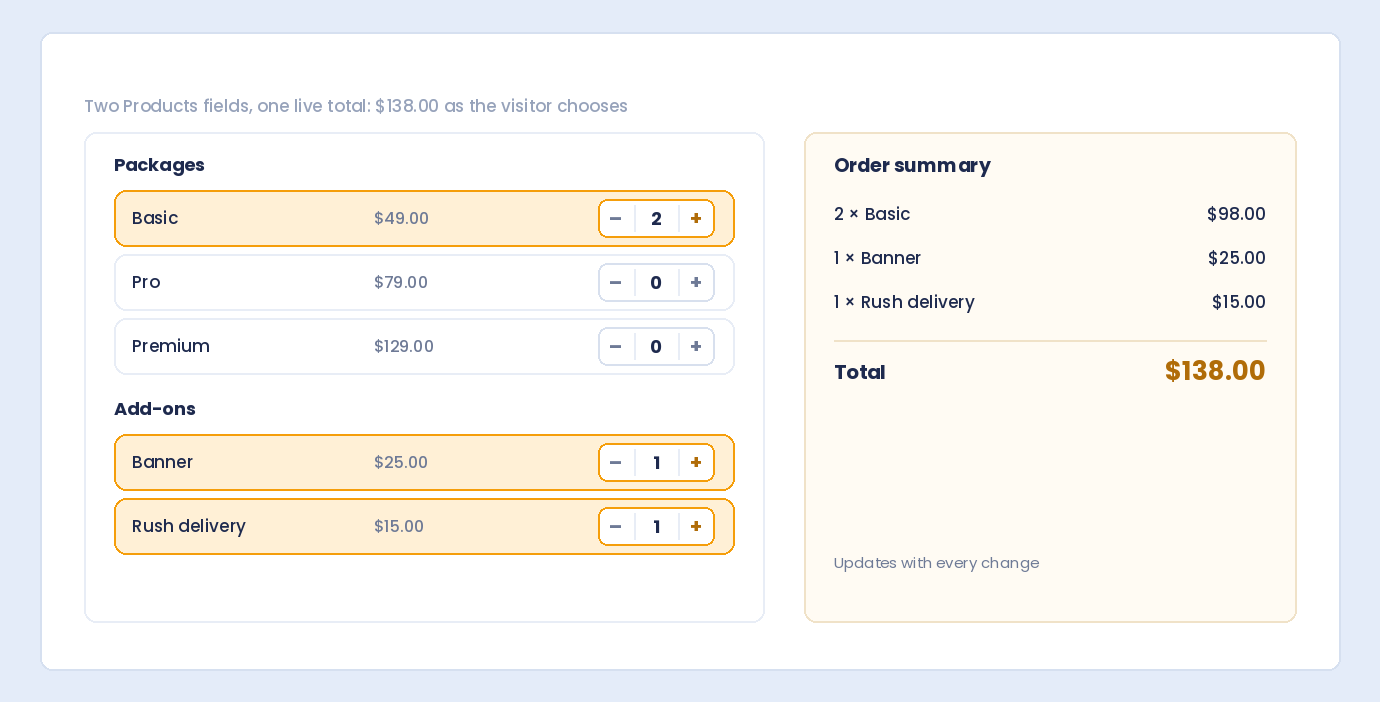
A live order summary lists each product, its quantity and line total, and the order total as visitors choose. It can cover one Products field or the whole order. When an order spans several Products fields, the submission page shows the total of the whole order under them.
Itemized Stripe Checkout
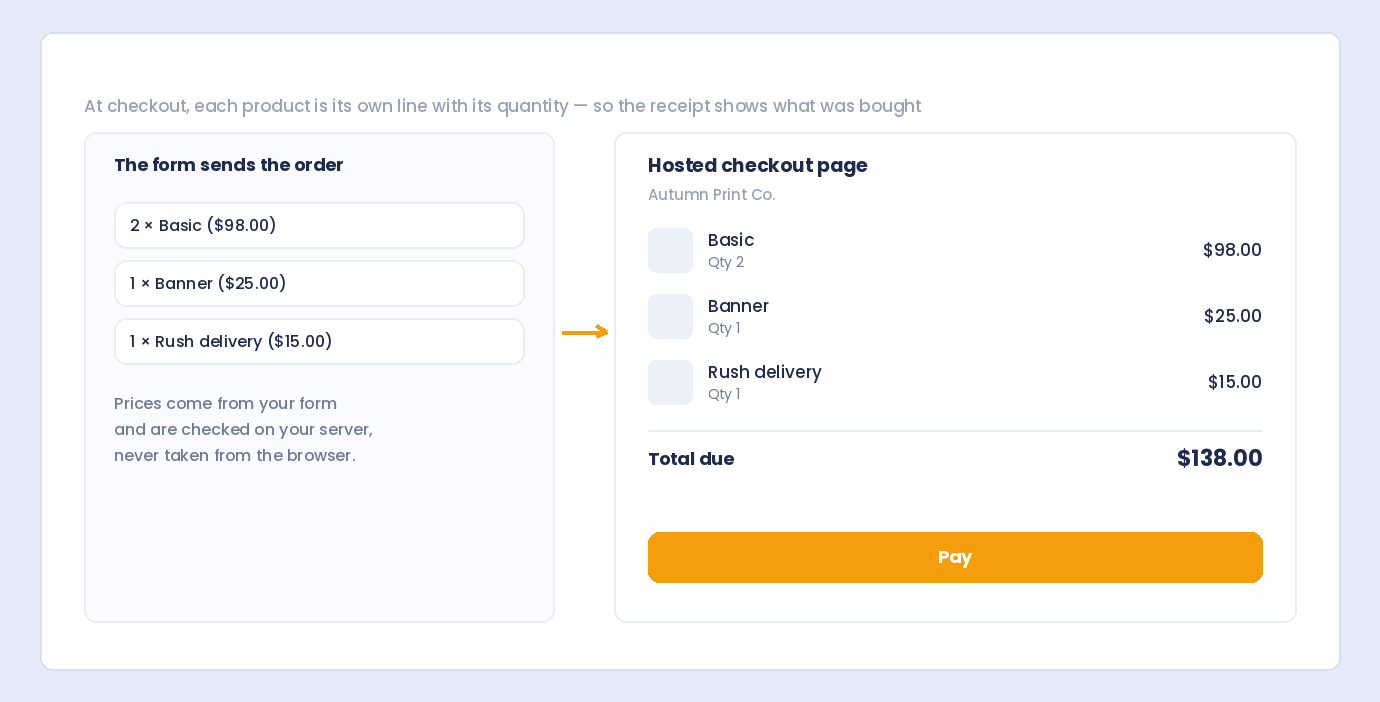
With the free Stripe Payments add-on, visitors pay the order total on Stripe’s hosted Checkout page. Checkout shows each product on its own line with its quantity. Auto Form Builder adds no extra fee or percentage. You pay only Stripe’s own fees.
Prices checked on your server
Prices are always taken from your form, never from the visitor’s browser. They are checked again on your server when the form is sent. If Stripe returns a Checkout page for a different amount than the entry owes, that page is closed so it cannot be paid.
Preselect products from a link
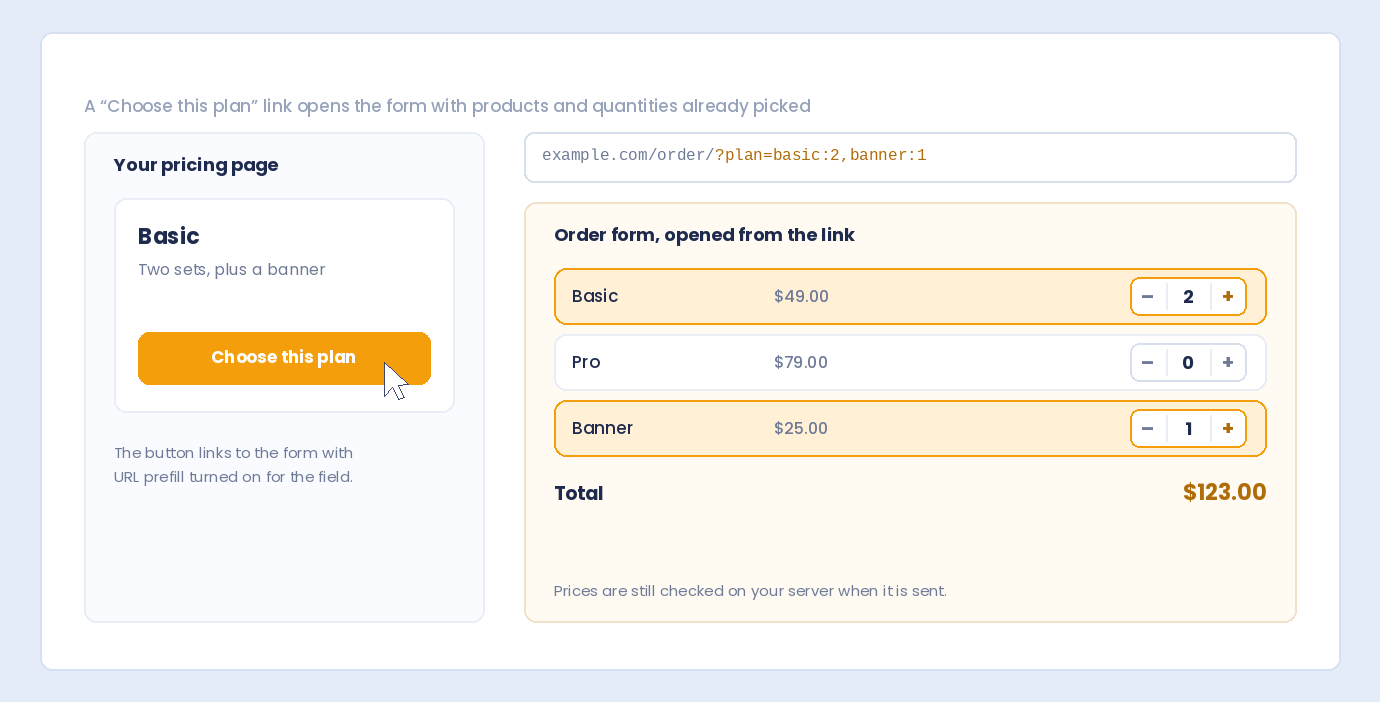
When URL prefill is turned on for the field, a link can preselect products and quantities. For example, ?plan=basic:2,banner:1 selects those products and quantities. This only fills in the form. Prices are still checked on your server when the form is sent.
Conditional logic and calculations
Each product can be shown or hidden with conditional logic, and other fields can show or hide depending on what was chosen. A Calculation field can use the order total and the quantity of each product.
Where the order shows up
Orders are shown itemized, with quantities, unit prices, line totals, and the total, on the submission page, in the list preview, CSV exports, emails, Slack, Google Sheets, webhooks, and saved partial entries. Webhooks also receive the order as structured data. Emails and redirect links can use {field:ID:total} and {field:ID:items}. The same line is used in emails, Slack, Google Sheets, and CSV exports. A Products field left empty is shown like any other empty field, and it does not count as answered.
Currency
Each form uses one currency. Amounts are shown with that currency’s symbol.
Settings & options
- Name and price for each product or service, with an optional description and image
- Show products as checkboxes, a single choice, quantity steppers, or cards
- Limit how many products can be chosen
- A minimum and maximum quantity for each product
- A live order summary for one field or the whole order
- One currency per form, shown with its symbol
- URL prefill to preselect products and quantities when it is turned on for the field
- Show or hide each product, and other fields, with conditional logic
- The order total and each product quantity can be used in a Calculation field
Use it for
- Orders for products or services
- Quantity choices with a live total
- Itemized payment through Stripe Checkout
How to add it
- Open Auto Form Builder and create or edit a form.
- Drag the field onto the canvas.
- Configure its settings in the right-hand panel.
- Save, then copy the shortcode or embed code.
- Paste it on any page — WordPress or not.
Works with
Related fields
FAQ
- Is the Products field free?
- Yes. The Products field is free. If visitors pay, the only fees are Stripe's own. Auto Form Builder adds no extra fee or percentage.
- Does it support subscriptions?
- Not yet. Recurring billing is coming soon.
- Can the conversational chat take product orders?
- No. The chat cannot fill in a Products field. A form with a Products field hands the visitor to the regular form, with their answers filled in, to choose products and pay.