
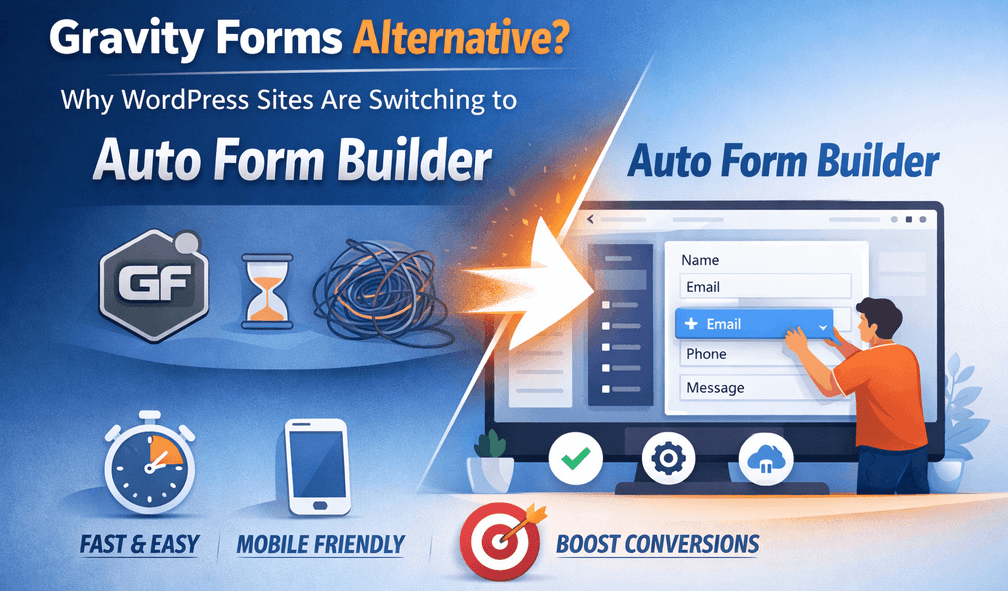
Gravity Forms built its reputation as a powerful WordPress form plugin — and for many sites, it still works well. But a growing number of site owners, agencies, and developers are looking for alternatives. Subscription costs add up across multiple client sites. Features like conditional logic, analytics, and integrations often require paid license tiers or separate add-ons. And embedding forms outside WordPress can mean extra work. Auto Form Builder is a fully free WordPress form plugin available on WordPress.org that includes conditional logic, submission management, visual customization, webhooks, e-signatures, and one-click cross-site embedding in the core plugin — no annual license required for essential functionality. Last updated: Last update 21 August Gravity Forms is a mature product with a large add-on ecosystem. Sites switch for practical reasons, not because Gravity Forms failed them: Auto Form Builder addresses these pain points by packaging core professional features into a free, self-hosted plugin with optional paid add-ons only for extended functionality — not for basics like conditional logic or submission management. Both plugins handle contact forms, surveys, and data collection. Here is how they compare on features that matter most to switching sites: Note: Gravity Forms offers a larger third-party add-on marketplace and deeper enterprise integrations. Auto Form Builder focuses on delivering professional core functionality free, with optional premium add-ons for teams that need extended features like Entry Tags or Google Sheets integration. Every feature below is included in the free plugin with no subscription, no trial expiration, and no upsell to unlock core form building: Build forms visually with undo/redo, live preview across desktop, tablet, and mobile views, and instant shortcode generation. Pre-built templates — Contact, Feedback, Support Request, Newsletter Signup, Event Registration — get you started in seconds. Text, Textarea, Email, Phone, Number, Date, Time, Checkbox, Radio, Dropdown, Name, Address, File Upload, Signature, and HTML Block — covering contact forms, surveys, registrations, and document signing. Show or hide any field based on other answers using AND/OR rules and eight operators. At the form level, send different confirmation messages, redirect to different thank-you pages, route admin emails to different addresses, or skip emails entirely — all based on submitted data. The Customize tab includes 10+ theme presets (Corporate, Minimal, Modern, Eco, Friendly, Luxury, and more), header images, background options, color and typography controls, field styling, and live mobile preview — so forms match your brand without custom CSS. All submissions live in a clean inbox with Unread, Starred, Read, Spam, and Trash tabs. Search by any field value, filter by form or date range, bulk actions, print submissions, and export entries — all from your WordPress admin. Configurable admin notification and user confirmation emails per form — custom recipients, subjects, messages with placeholders like The Signature field lets visitors draw signatures with a mouse, finger, or stylus. Signatures are stored with the submission and displayed as images in entry details — on WordPress pages and embedded forms. Copy embed code from the Forms screen and paste it on any site — including non-WordPress platforms and page builders like Elementor, WP Bakery, and Brizy. Embedded forms keep your design, auto-resize to content, and stay isolated from the host site’s theme. Send submission data to Zapier, Make, GoHighLevel, or any custom endpoint the moment a form is submitted — built into the free plugin, no connector add-on required. Activate from the Add-Ons page at no cost: Conditional logic, webhooks, analytics, spam protection, import/export, and visual styling are free — not locked behind a Pro or Elite license. For agencies running forms on dozens of client sites, that difference is significant. Auto Form Builder was built with cross-site embedding as a first-class feature. Copy the embed code, paste it on any website, and the form renders with your styling intact. Gravity Forms users often need custom solutions or third-party tools to achieve the same result. Submissions are stored in your WordPress database on your server — not on a third-party SaaS platform. Combined with built-in Privacy Export and Privacy Delete tools for GDPR compliance, you maintain full control over visitor data. The drag-and-drop builder includes undo/redo, field reordering, responsive preview, and a dedicated Customize tab with theme presets and live styling — a workflow designed for speed without leaving the admin interface. Auto Form Builder is available on the official WordPress plugin directory under the GPL-2.0+ license. It follows WordPress coding standards, receives regular updates, and can be installed with one click from the Plugins screen — the same way you install any trusted WordPress plugin. An honest comparison acknowledges where Gravity Forms has advantages: If your primary need is payment collection or a specific Gravity Forms add-on integration, staying on Gravity Forms may make sense. If you need professional forms with conditional logic, submissions management, styling, and embedding — without a recurring license — Auto Form Builder is a strong alternative. Go to Plugins → Add New, search for Auto Form Builder, install, and activate. Or install directly from WordPress.org. Recreate your Gravity Forms using the drag-and-drop builder, or start from a pre-built template. Field types map closely — text, email, phone, dropdown, checkbox, radio, file upload, and date fields all have direct equivalents. Use Import/Export under Settings to move forms between WordPress sites. Replicate show/hide rules in each field’s Conditional Logic settings. Use the Customize tab to match your brand with theme presets, colors, and typography. Configure admin and confirmation emails in Form Settings. Add webhook URLs for any Zapier, Make, or CRM integrations you used with Gravity Forms. Swap Gravity Forms shortcodes on your pages with Auto Form Builder shortcodes. Test submissions, email delivery, conditional logic, and embed codes before deactivating Gravity Forms. Auto Form Builder is a complete, free alternative to paid form plugins for sites that need professional forms without recurring license fees. Conditional logic, e-signatures, embed-anywhere, webhooks, analytics, spam protection, and submission management are all included. Install it from the official WordPress.org directory: https://wordpress.org/plugins/auto-form-builder/ Try the live demos before installing: Frontend Preview | Backend Demo Last updated: Last update 21 August Auto Form Builder lets you create multi-step forms, calculators, and lead capture forms in WordPress, then embed them on any site with a single line of code. Yes, for sites that need conditional logic, submission management, visual styling, e-signatures, webhooks, and cross-site embedding without a paid license. Gravity Forms remains stronger for native payment processing and its large add-on marketplace. Yes. The core plugin on WordPress.org is 100% free — conditional logic, analytics, spam protection, webhooks, import/export, and visual customization included. Optional premium add-ons are available for extended functionality. Yes. Field-level show/hide rules with AND/OR logic and form-level conditional confirmations and email rules are included in the free plugin. Gravity Forms requires a Pro license or higher for conditional logic. Yes. Copy the embed code from the Forms screen and paste it on any website. Embedded forms keep your design and work on Elementor, WP Bakery, Brizy, and external non-WordPress sites. Not directly. Auto Form Builder does not include built-in Stripe or PayPal payment fields. You can connect to payment tools via webhooks, but native in-form payment collection is a Gravity Forms strength. Yes. Built-in webhook support sends submission data to Zapier, Make, or any custom endpoint when a form is submitted — included free with no connector add-on. On your WordPress server in your database. Auto Form Builder is self-hosted — your submission data never leaves your site unless you configure webhooks or email notifications to send it elsewhere. Install Auto Form Builder, recreate forms in the drag-and-drop builder (or use templates), configure conditional logic and emails, replace shortcodes on your pages, and test before deactivating Gravity Forms. Use Import/Export to move forms between WordPress sites.Gravity Forms Alternative: Why More WordPress Sites Are Switching to Auto Form Builder
Why Site Owners Look for a Gravity Forms Alternative
Auto Form Builder vs. Gravity Forms: Feature Comparison
Feature
Auto Form Builder
Gravity Forms
Core plugin cost
Free on WordPress.org
Paid license required
Drag-and-drop builder
Included free
Included
Conditional logic (show/hide fields)
Included free — AND/OR, 8 operators
Requires Pro license or higher
Conditional confirmations & emails
Included free
Available (tier-dependent)
Submission inbox
Included free — search, filter, star, spam/trash
Included
Visual form styling
Included free — 10+ themes, live preview
Limited styling; themes/add-ons often needed
E-signatures
Included free (Signature field)
Requires Signature add-on (paid)
Embed on any website
Included free — copy embed code from Forms screen
Not a core focus; requires workarounds
Webhooks (Zapier, Make, CRMs)
Included free
Requires add-on or third-party connector
Form analytics
Free built-in add-on — views, conversions, charts
Not included in core
Spam protection
Free reCAPTCHA & Cloudflare Turnstile add-ons
reCAPTCHA included; other options via add-ons
Import / export
Included free — forms and entries
Import/export available (tier-dependent)
Payment processing
Not built-in (use webhooks to connect)
Stripe, PayPal add-ons available
Multi-page forms
Dynamic single-page forms with conditional logic
Native multi-page with page breaks
Data storage
Self-hosted on your WordPress database
What You Get Free with Auto Form Builder
Drag-and-Drop Form Builder
13+ Field Types
Conditional Logic — Field and Form Level
Full Visual Customization
Submission Management Inbox
Email Notifications
{submission_data} and {form_name}, HTML or plain-text format, and conditional email rules.E-Signatures
Embed Forms on Any Website
Webhooks
Free Built-In Add-Ons
Five Reasons Sites Switch from Gravity Forms to Auto Form Builder
1. No Subscription for Professional Features
2. Embed Anywhere Without Extra Setup
3. Self-Hosted Data by Default
4. Modern Builder with Live Preview
5. WordPress.org Distribution and GPL License
When Gravity Forms May Still Be the Better Choice
How to Switch from Gravity Forms to Auto Form Builder
Step 1: Install Auto Form Builder
Step 2: Rebuild or Import Your Forms
Step 3: Configure Conditional Logic and Styling
Step 4: Set Up Notifications and Webhooks
Step 5: Replace Shortcodes and Test
Who Benefits Most from Switching?
Download Auto Form Builder — Free on WordPress.org
Build forms that embed anywhere — free
Frequently Asked Questions
Is Auto Form Builder a good Gravity Forms alternative?
Is Auto Form Builder really free?
Does Auto Form Builder include conditional logic for free?
Can I embed Auto Form Builder forms on non-WordPress sites?
Can Auto Form Builder replace Gravity Forms payment forms?
Does Auto Form Builder work with Zapier and Make?
Where is form submission data stored?
How do I migrate from Gravity Forms to Auto Form Builder?
Table of Contents
Table of Contents
Learn how to bulk delete form submissions in WordPress. Remove multiple entries at once to clean up spam, test data, and old submissions efficiently.
Master WordPress form submission management. Learn to view, filter, search, star, export, and organize form entries like a pro with this complete guide.
Learn how to search and find form submissions in WordPress. Filter by date, form, status, and search across all submission data.
Learn how to set character limits on WordPress form fields. Configure minimum and maximum length validation for text fields and textareas.
Comparing Auto Form Builder and Contact Form 7 for WordPress. See which form plugin offers better ease of use, features, and value for your website.
Learn how to view, organize, search, filter, and export your WordPress form submissions. Complete guide to submission management.
Learn why storing form data on your own server helps with GDPR compliance. Choose form plugins that keep your user data local and under your control.
Learn the best practices for email collection forms in WordPress. Reduce bounces, prevent typos, and build a quality email list with proper form design.
Learn how to filter WordPress form submissions by date. Find entries from specific time periods quickly using date range filters.
Should you use one field or multiple fields for names? Learn the pros and cons of each approach and how to set up name fields in WordPress.
Learn how to bulk edit, delete, and manage form submissions in WordPress. Save time with mass actions on multiple entries at once.