
Free Add-Ons
Ad Tracking
FreeFind out which ad, campaign or link brought each form lead. Ad Tracking remembers the UTM parameters and ad click IDs a visitor arrived with, and adds them to every form entry through hidden fields. Free, and built into your Auto Form Builder dashboard.
You shouldn't have to guess which ad is paying for itself.
What you can do
- Save UTM parameters (utm_source, utm_medium, utm_campaign, utm_term, utm_content and utm_id) from the link a visitor arrived with.
- Save ad click IDs: gclid, gbraid and wbraid from Google Ads, fbclid from Meta, and msclkid from Microsoft Ads.
- Keep the values in a first-party cookie, so they still reach the form when the visitor sends it from another page.
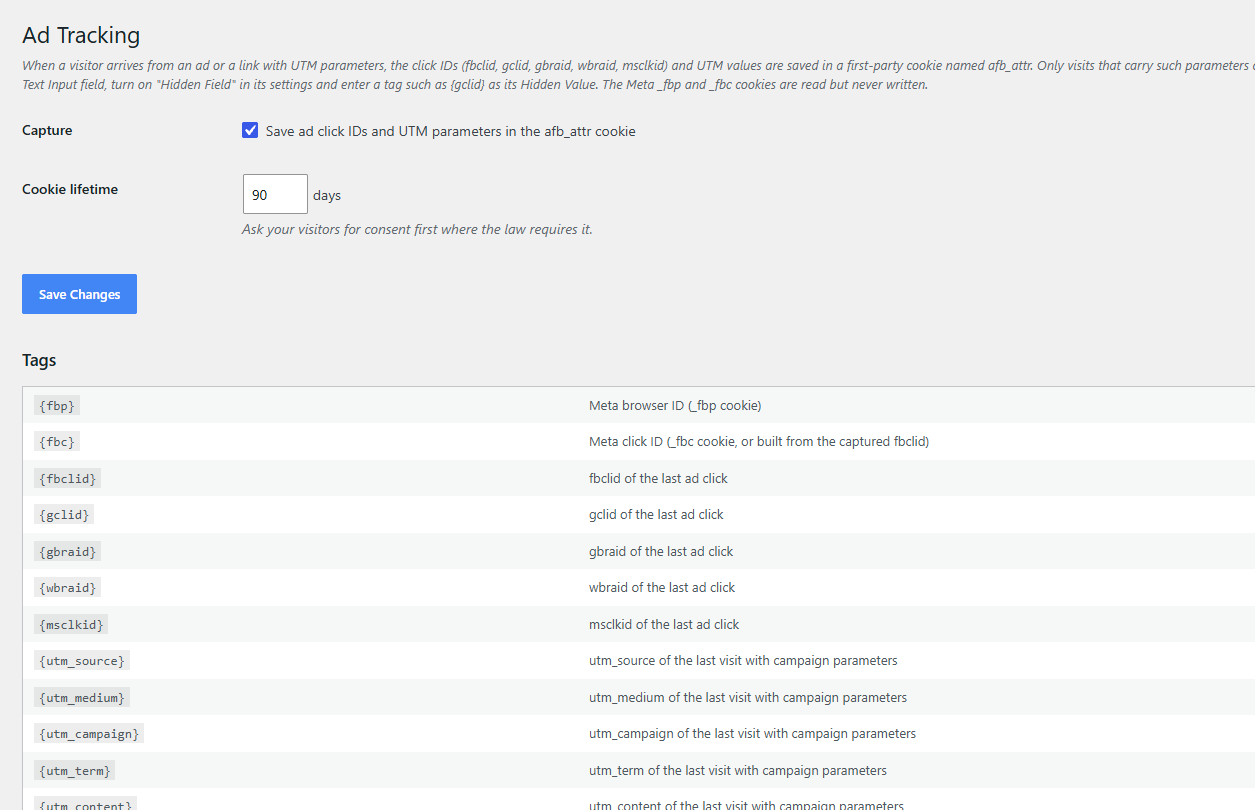
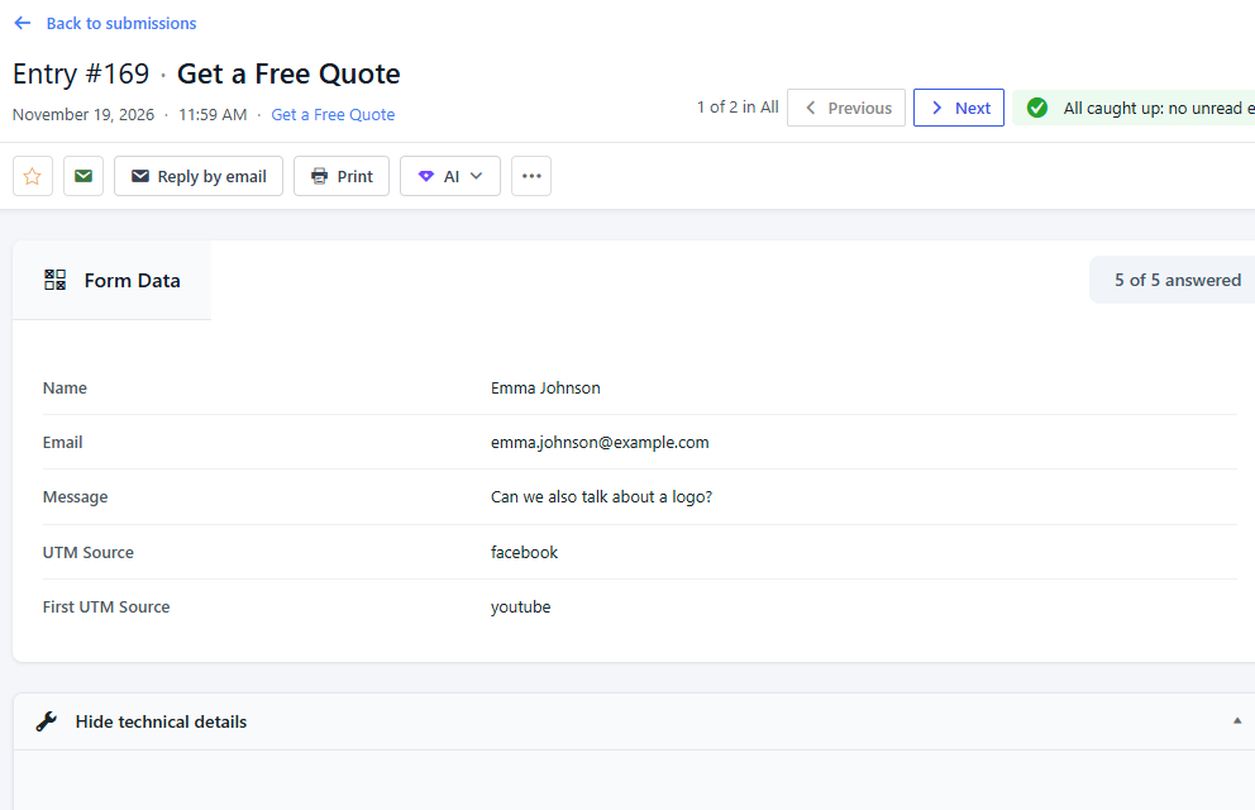
- Record both the first visit and the latest visit from a campaign, with tags like {first_utm_source} and {utm_source}.
- Add any value to an entry with a hidden field, or send it in a webhook JSON template.
- Read the Meta _fbp and _fbc cookies as {fbp} and {fbc} without ever writing them.
Why it matters
When you pay for ads on several platforms, a lead with no source is a lead you cannot credit. Ad Tracking puts the source and campaign on every entry, so you can see which ads bring real leads and spend more on the ones that work. It runs on your own site, with no extra analytics tool or paid connector.
When a visitor arrives from a link with ad click IDs or UTM parameters, the values are saved in a first-party cookie named afb_attr. Only visits that carry such parameters change it; normal visits leave it alone. You choose how many days the cookie is kept. To use a value, add a Text Input to your form, turn on Hidden Field and enter a tag such as {gclid} as its Hidden Value. Ask your visitors for consent first where the law requires it.
How to use it
- Install Auto Form Builder free from WordPress.org.
- Activate Ad Tracking on the Add-Ons screen and open its Settings.
- In your form, add a Text Input, turn on Hidden Field and enter a tag such as {utm_source} as its Hidden Value.
- Save the form. Every new entry now shows where the visitor came from.
Related
FAQ
Is Ad Tracking free?
Yes. It's a free built-in add-on. No subscription and no per-lead fees.
Which ad platforms does it work with?
Any link with UTM parameters. It also saves click IDs from Google Ads (gclid, gbraid, wbraid), Meta (fbclid) and Microsoft Ads (msclkid).
What if the visitor sends the form from a different page?
The values are kept in a first-party cookie, so they still reach the form on any page of your site until the cookie expires.
Do I need cookie consent?
It depends on where your visitors are. Ask your visitors for consent first where the law requires it.