
Free Add-Ons
Slack Notifications
FreeGet a Slack message the moment someone submits a form on your WordPress site. Choose which forms send a message, which channel each one goes to, and whether the answers are included. Free, and built into your Auto Form Builder dashboard.
You shouldn't need Zapier or a paid connector just to know when someone fills in your form.
What you can do
- Post a message to a Slack channel every time a form is submitted, with the form name, the site name and a link to the entry.
- Turn Slack messages on or off per form, so public lead forms alert your team while other forms stay quiet.
- Include the submitted answers in the message when you want them, or leave them out to keep personal details out of Slack.
- Send different forms to different channels by giving a form its own webhook URL.
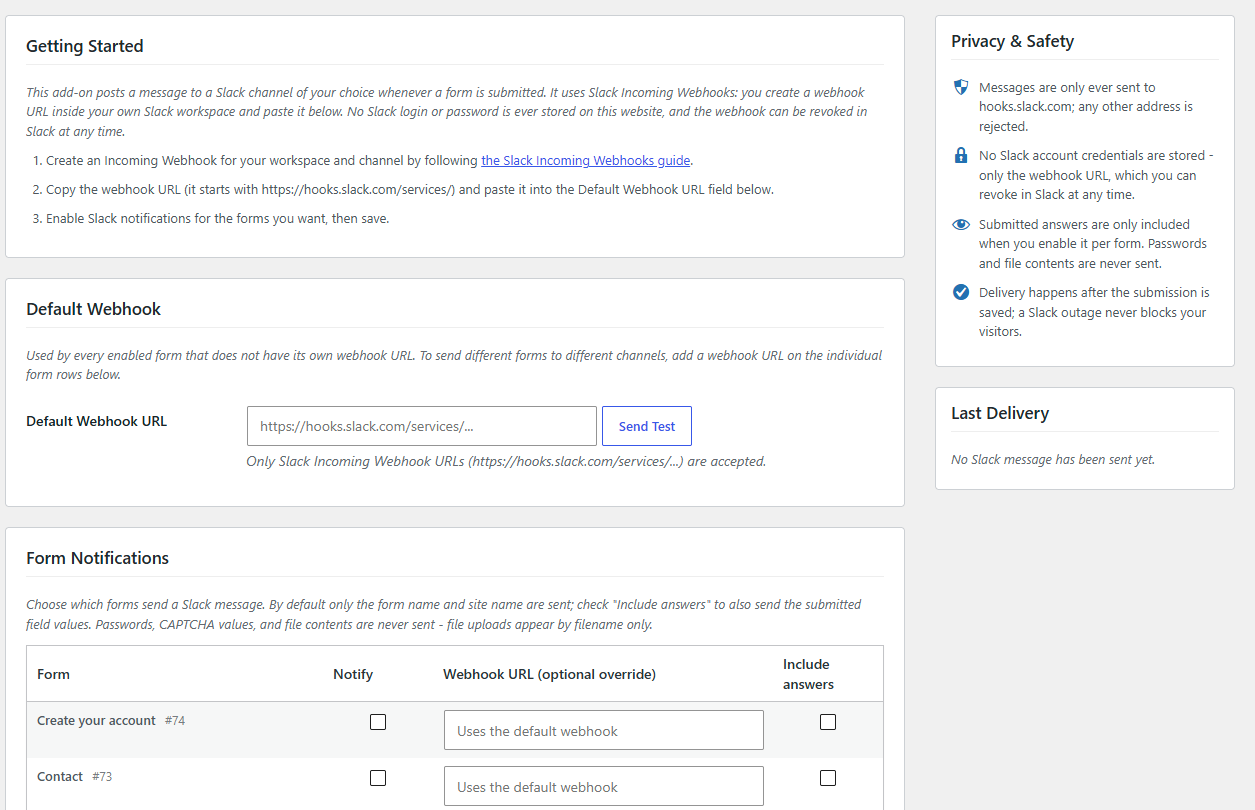
- Send a test message from the settings page before any real entry arrives.
- See the result of the last delivery, with a clear message if Slack rejects the webhook.
Why it matters
Leads go cold when nobody sees them. A Slack message puts every new submission in front of your team within seconds, in the channel they already watch, without anyone checking WordPress or an inbox. It connects directly with a Slack incoming webhook, so there is no Zapier or Make in the middle and no per-task fee.
The add-on uses Slack incoming webhooks: you create a webhook URL inside your own Slack workspace and paste it into Auto Form Builder. No Slack login or password is stored on your site, and you can revoke the webhook in Slack at any time. Messages are only ever sent to hooks.slack.com. Passwords, CAPTCHA values and file contents are never sent, and file uploads appear by file name only. Delivery happens after the submission is saved, so a Slack outage never blocks your visitors.
How to use it
- Install Auto Form Builder free from WordPress.org.
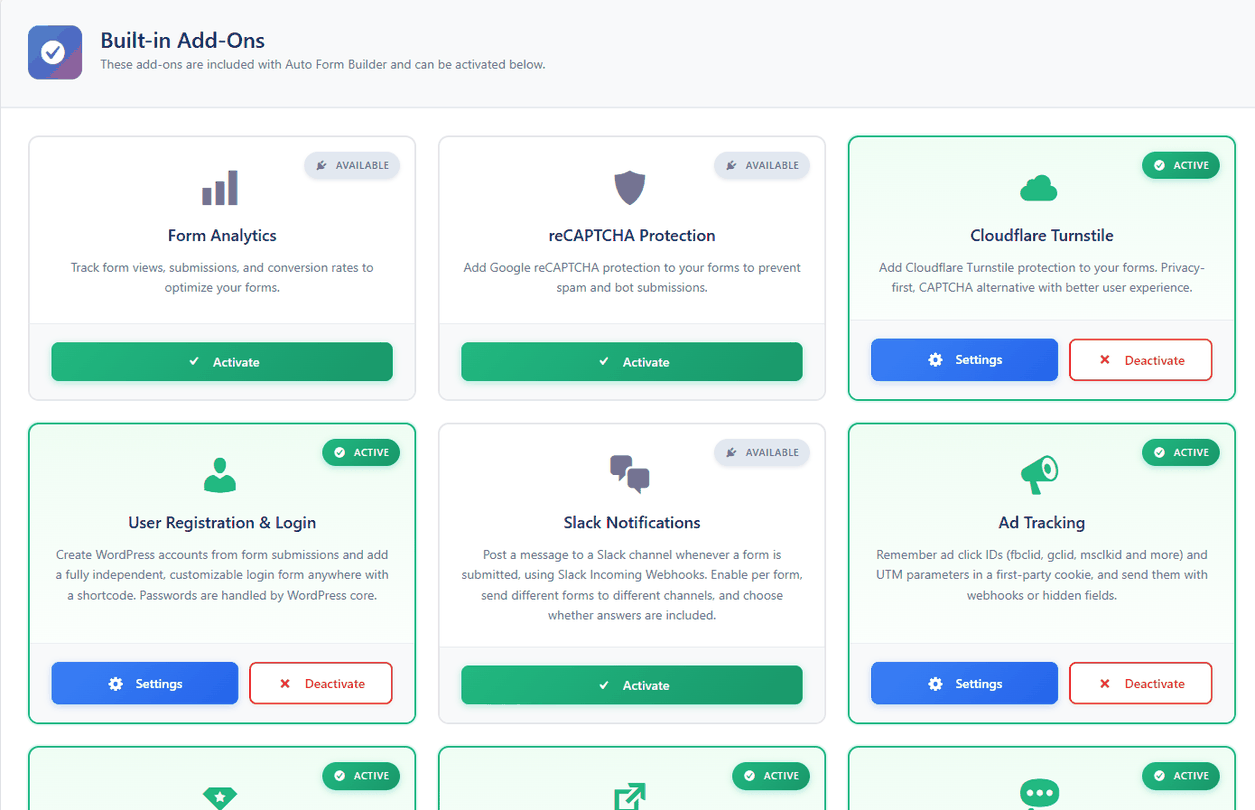
- Activate Slack Notifications on the Add-Ons screen and open its Settings.
- Create an incoming webhook in Slack, paste its URL into Default Webhook URL and click Send Test.
- Tick Notify for each form you want, choose Include answers if needed, and save.
Related
FAQ
Is the Slack integration free?
Yes. It's a free built-in add-on, and it works with a free Slack workspace. No subscription and no per-message fees.
Do I need Zapier or Make?
No. The add-on posts to Slack directly through an incoming webhook.
Are form answers sent to Slack?
Only when you tick Include answers for a form. Passwords, CAPTCHA values and file contents are never sent.
Can different forms go to different channels?
Yes. Leave a form on the default webhook, or give it its own webhook URL to post to another channel.