
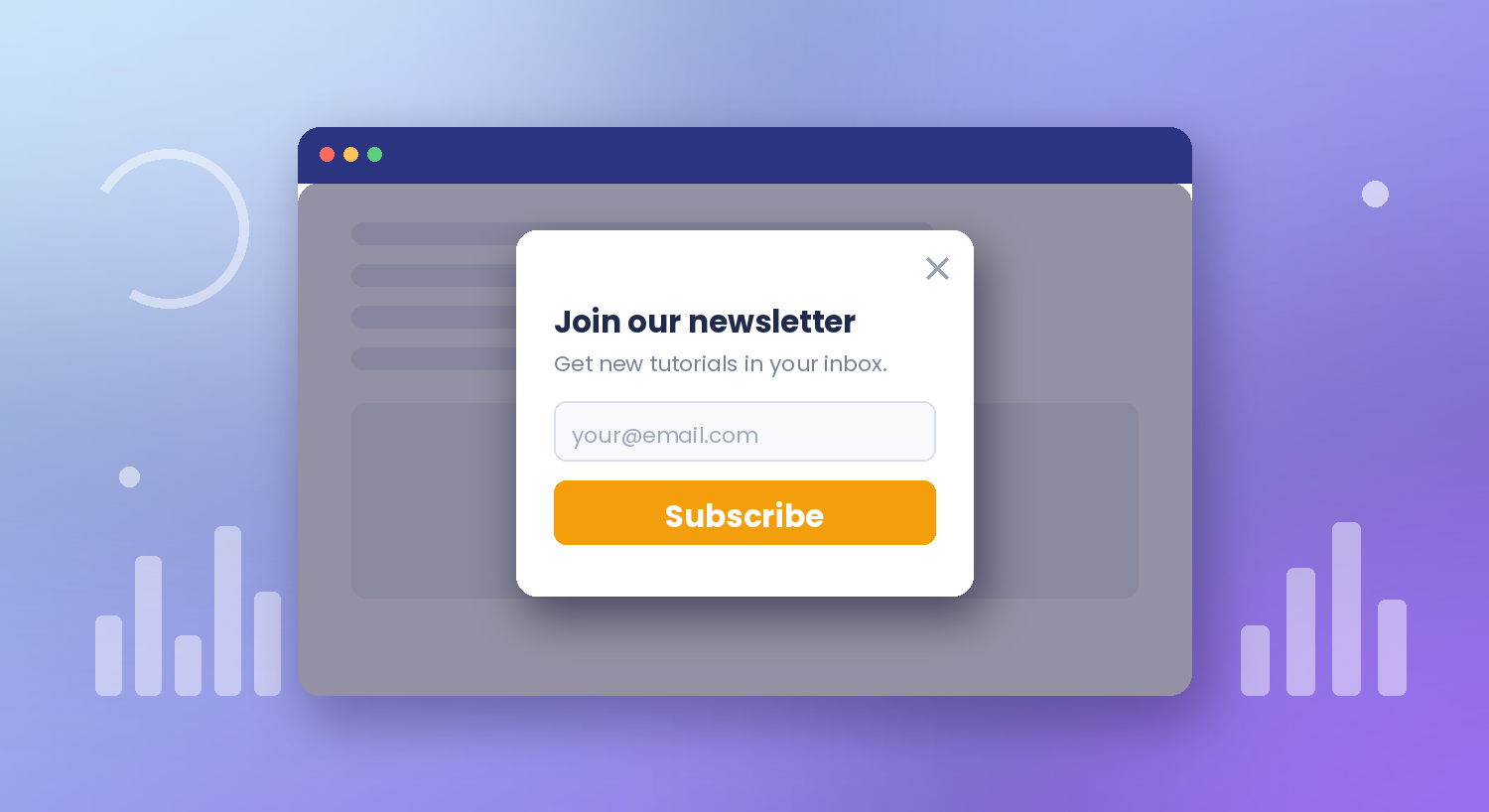
WordPress Popup Form Without an Extra Plugin
A popup gets noticed in a way an inline form at the bottom of a page never will. The problem is how most sites get one: install a dedicated popup plugin, then wire it to the form plugin you already have, and carry two plugins’ worth of scripts on every page. Auto Form Builder skips that. Popup forms are a free module inside the plugin, so any form you have already built can become a popup in a couple of minutes. Here’s how.
Switch on the Popups module
Open the Add-Ons screen, find Popups, and click Activate.
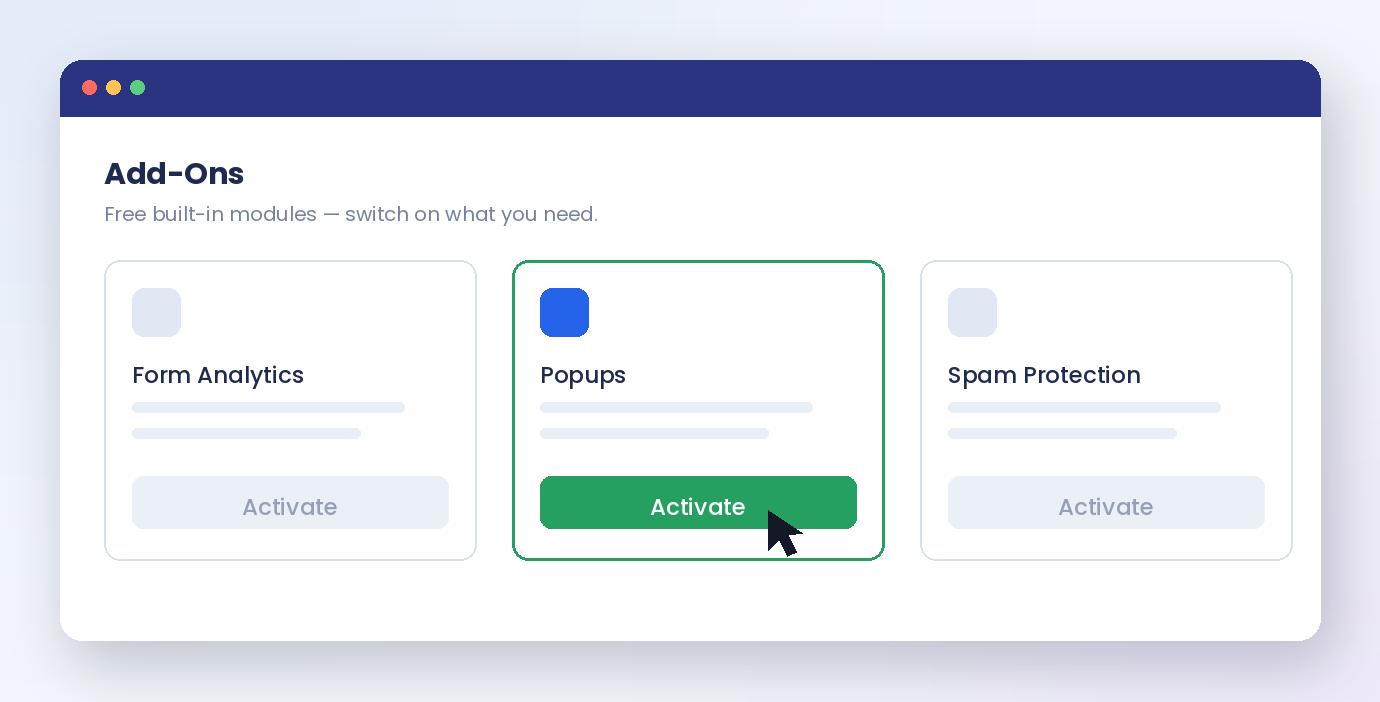
One detail trips people up here: refresh the page afterwards. The new Popups menu only appears in the sidebar after a reload, and without that refresh it looks as though nothing happened.
Create a popup and pick its form
In the Popups menu, click Add New Popup and give it a name you will recognise later — “Newsletter popup” is clearer than “Popup 1” when you have several. On the Form tab, choose which of your existing forms to show. Anything you have built works: a newsletter signup with one email field, a short contact form, a quote request.
The preview on the right shows the popup’s shape and position rather than your actual fields. That is by design — the real form renders on the live page.
Choose how it appears
The Popup Type tab decides the shape. A modal lightbox sits in the middle of a dimmed screen and demands attention. A slide-in arrives from a corner and is far gentler. A sticky bar pins to the top or bottom and stays out of the way entirely. There is also a full-screen version, a welcome mat, and a floating launcher button that opens the form only when someone clicks it.
Layout, Style, Overlay and Close handle the rest: size and spacing, colours and shadows, how dark the background behind the popup goes, and what the close button looks like.
Decide when it opens
Triggers are where a popup stops being annoying and starts converting.
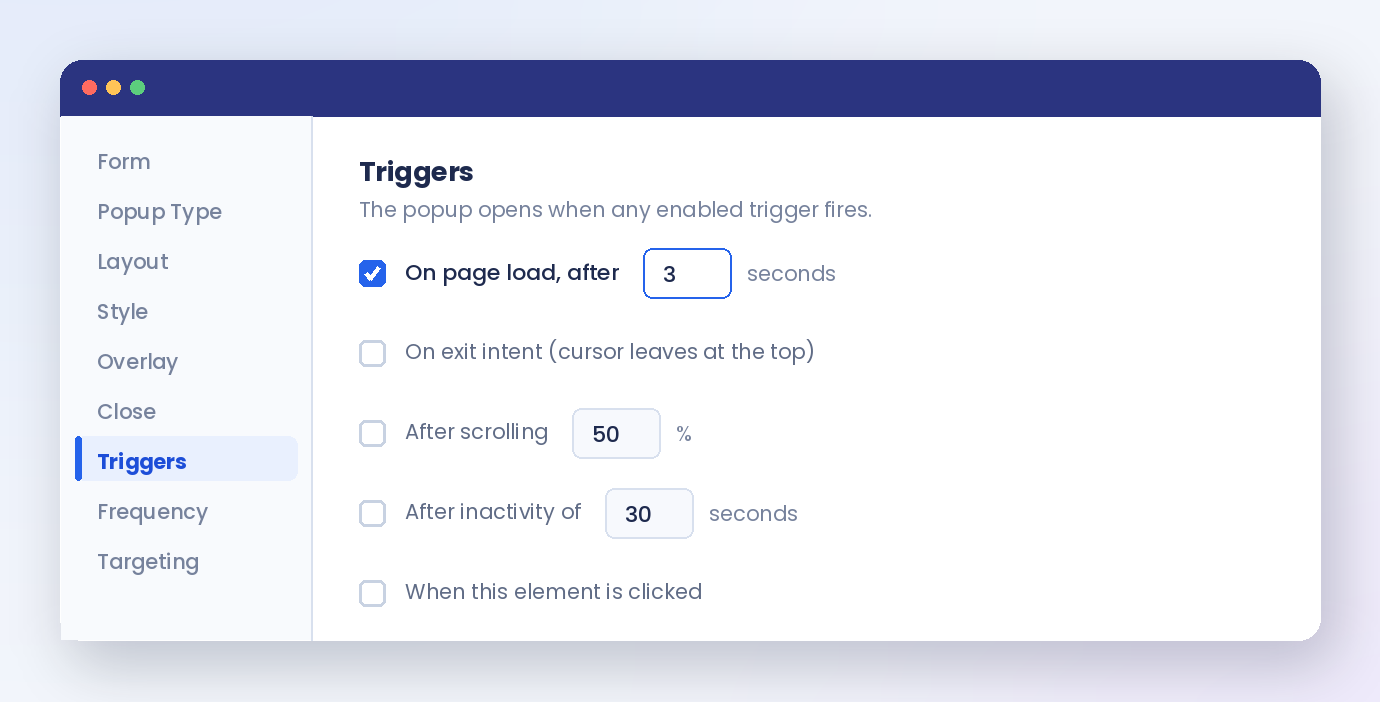
You can open it on page load after a set delay, on exit intent when the cursor leaves towards the top of the window, after someone scrolls a percentage of the page, after a period of inactivity, or when a specific element is clicked.
A few seconds of delay usually beats opening instantly — give people a moment to see that your page is worth staying on first.
Keep it from wearing out its welcome
The Frequency tab is the part most popup setups get wrong.
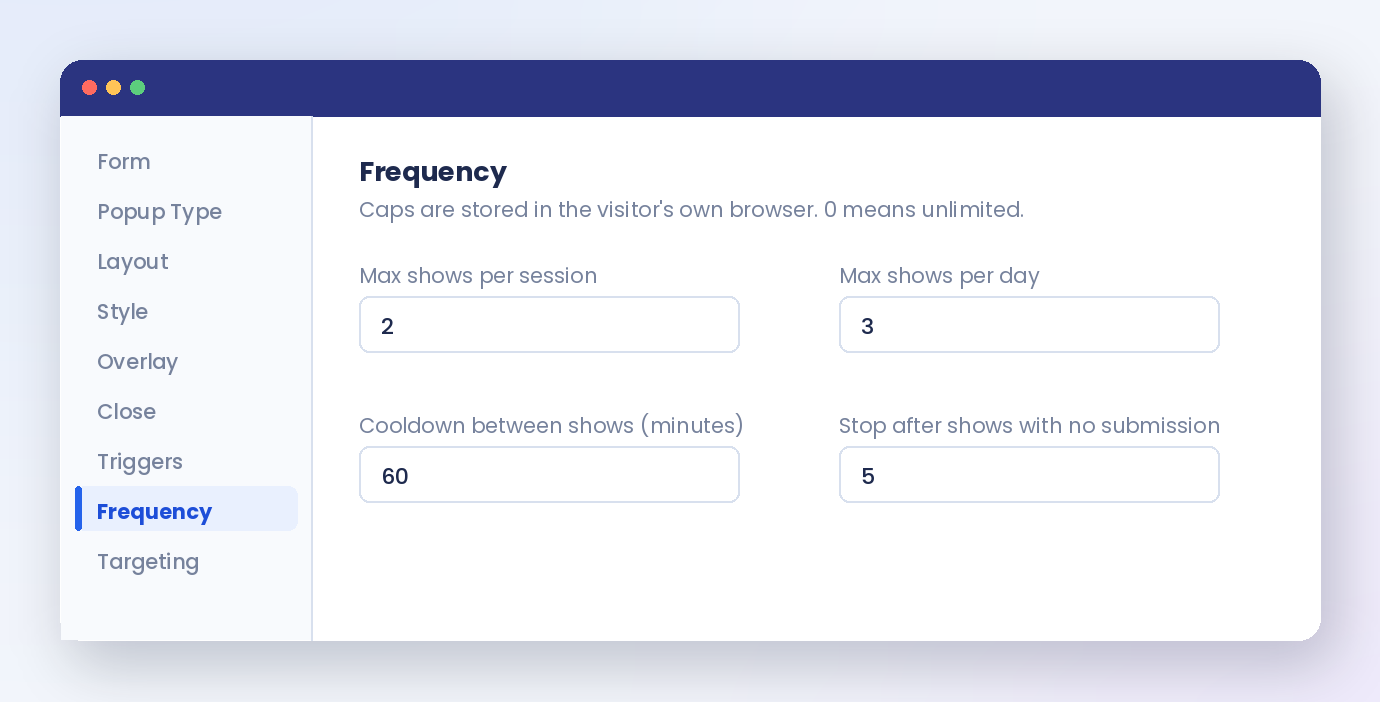
Cap how many times the popup shows per session, per day, or in total; set a cooldown so it cannot reappear minutes later; stop showing it after a number of views with no submission; and control how long the browser remembers. Counters are stored in the visitor’s own browser, so no personal data is involved.
Show it only where it belongs
Targeting narrows the audience. Show the popup on specific pages or everywhere except a few, restrict it by device, by whether the visitor is logged in, or by user role, and schedule it between dates, days of the week, or times of day — useful for a seasonal offer that should disappear on its own.
Every submission lands in the same submissions inbox as your other forms, so a popup lead is not stranded somewhere separate.
One plugin, one popup
A popup is a display setting, not a separate product. Activate the module, point it at a form you already trust, pick a trigger and a frequency cap, and you have a converting popup without adding a second plugin to your site — free, no code.
Related reading: Adding a newsletter signup form in WordPress and best practices for email collection forms. For the step-by-step version, see the popup form guide.
Ready to try it? Install Auto Form Builder free from WordPress.org.
FAQ
Do I need a separate popup plugin?
No. Popups are a free built-in module in Auto Form Builder. Activate it from the Add-Ons screen and any form you have already built can be shown as a popup — no second plugin, no subscription.
Can I stop the popup from showing to people who already subscribed?
Yes. Set what happens after a successful submission, and use the frequency caps to limit how often the popup appears per session, per day or in total, so people who already signed up are not asked again.