
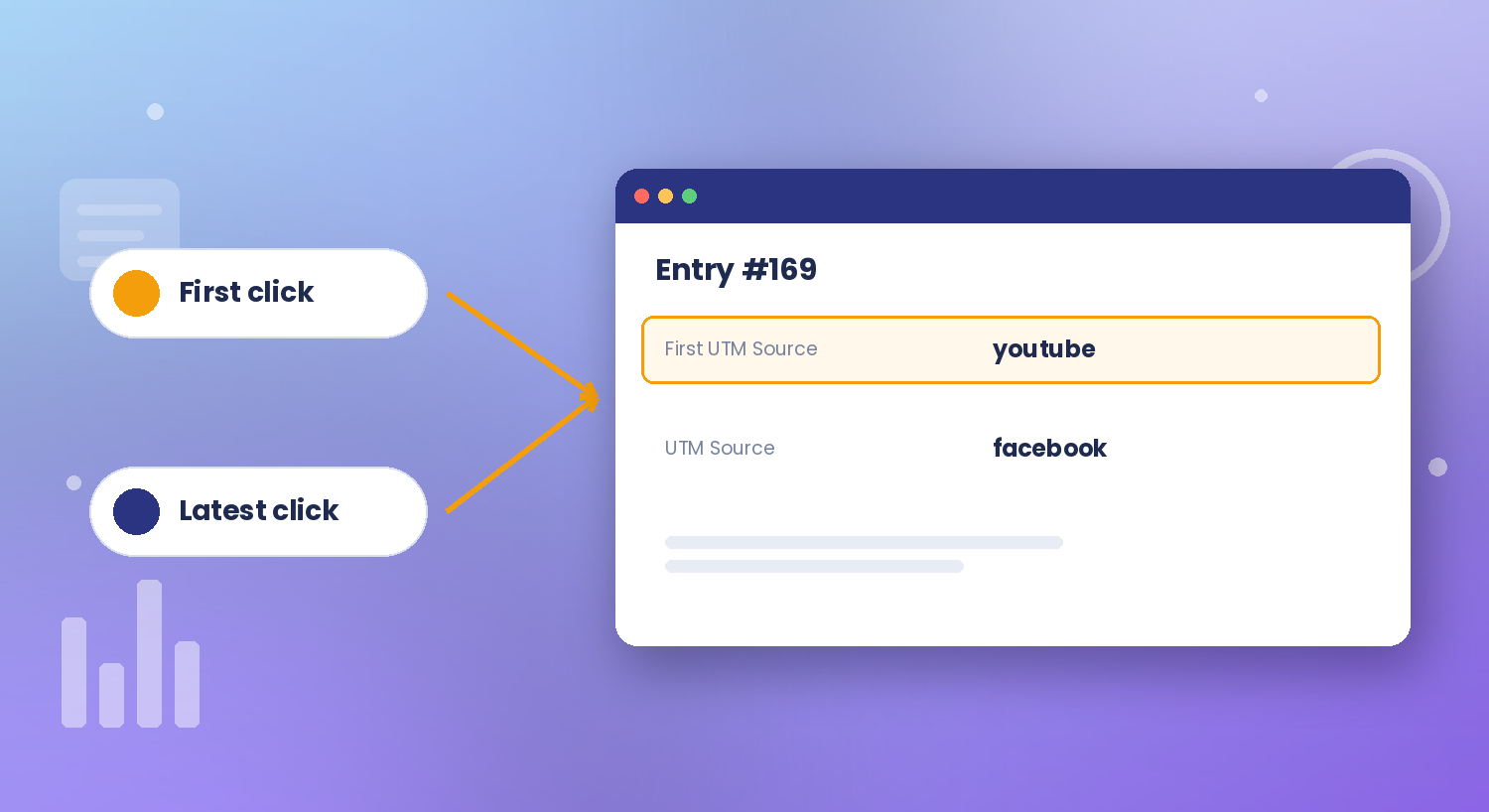
First-Touch vs. Last-Touch: See Which Ad Really Brought a Lead
Most people don’t fill in your form the first time they see your ad. They click a YouTube ad today, come back from a Facebook ad next week, and only then ask for a quote. So which ad gets the credit? The one that found them (first touch) or the one that closed them (last touch)? With the free Ad Tracking add-on in Auto Form Builder, you don’t have to choose: you can save both on every form entry. This is one part of a bigger setup to track leads from your WordPress forms.
Related video: How to Track Which Ad Brought Each WordPress Form Lead
What are first-touch and last-touch?
- First-touch gives the credit to the first ad or campaign that brought the visitor to your site. It shows you which ads find new people.
- Last-touch gives the credit to the latest ad or campaign before the visitor sent the form. It shows you which ads get people to act.
A form on its own only sees the page it was sent from, so it can’t tell you either one. Ad Tracking remembers both in a small cookie on your own site.
How Auto Form Builder saves both
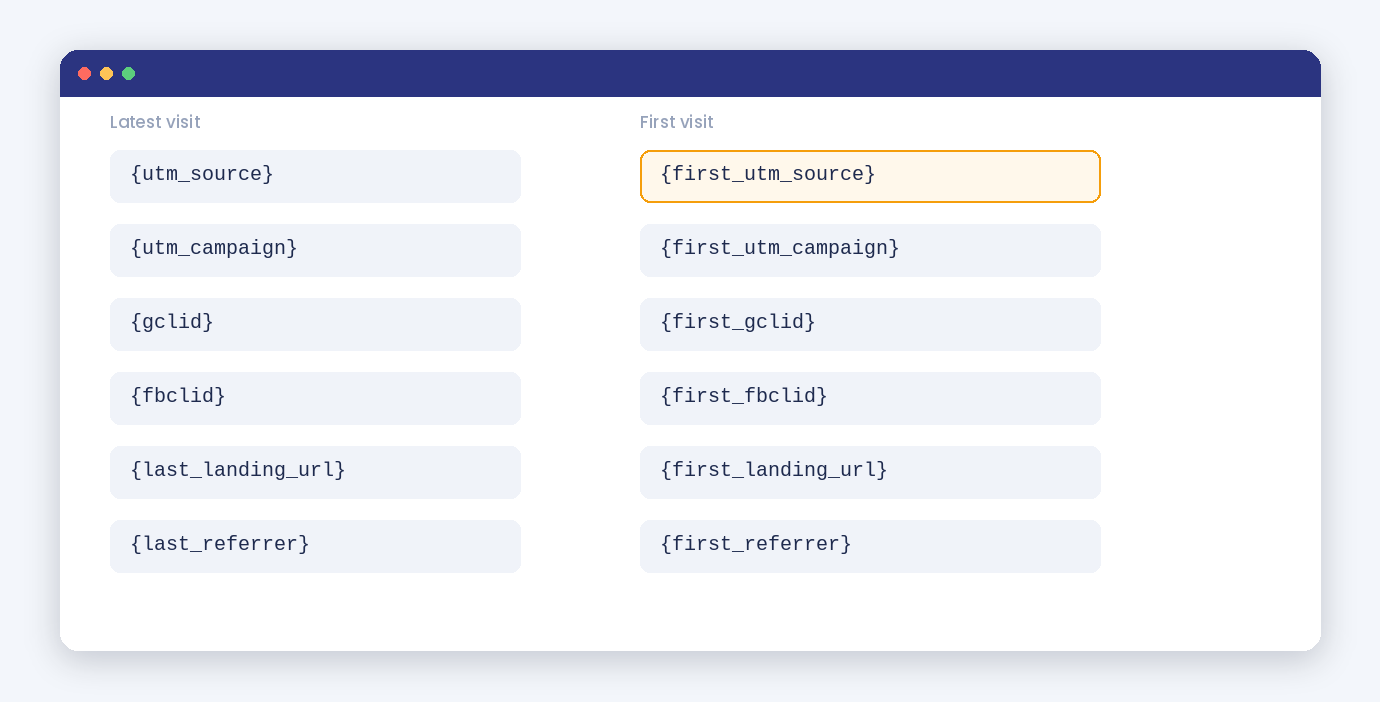
Every Ad Tracking tag comes in two versions:
- Tags without a prefix, such as
{utm_source}, hold the latest visit that came from an ad or a campaign link. - Tags that start with
first_, such as{first_utm_source}, keep the first one.
Only visits that carry ad click IDs or UTM parameters change these values. Someone who comes back by typing your address, or from a bookmark, leaves them alone.
Set it up in two hidden fields
- Go to Auto Form Builder → Add-Ons and activate Ad Tracking. On its settings page, keep Capture ticked.
- Open your form and add a Text Input. Label it
UTM Source, tick Hidden Field, and type{utm_source}in Hidden Value. - Add a second Text Input. Label it
First UTM Source, tick Hidden Field, and type{first_utm_source}in Hidden Value. - Click Save Form.
The labels are only for you. Visitors never see hidden fields.
What it looks like: a real test
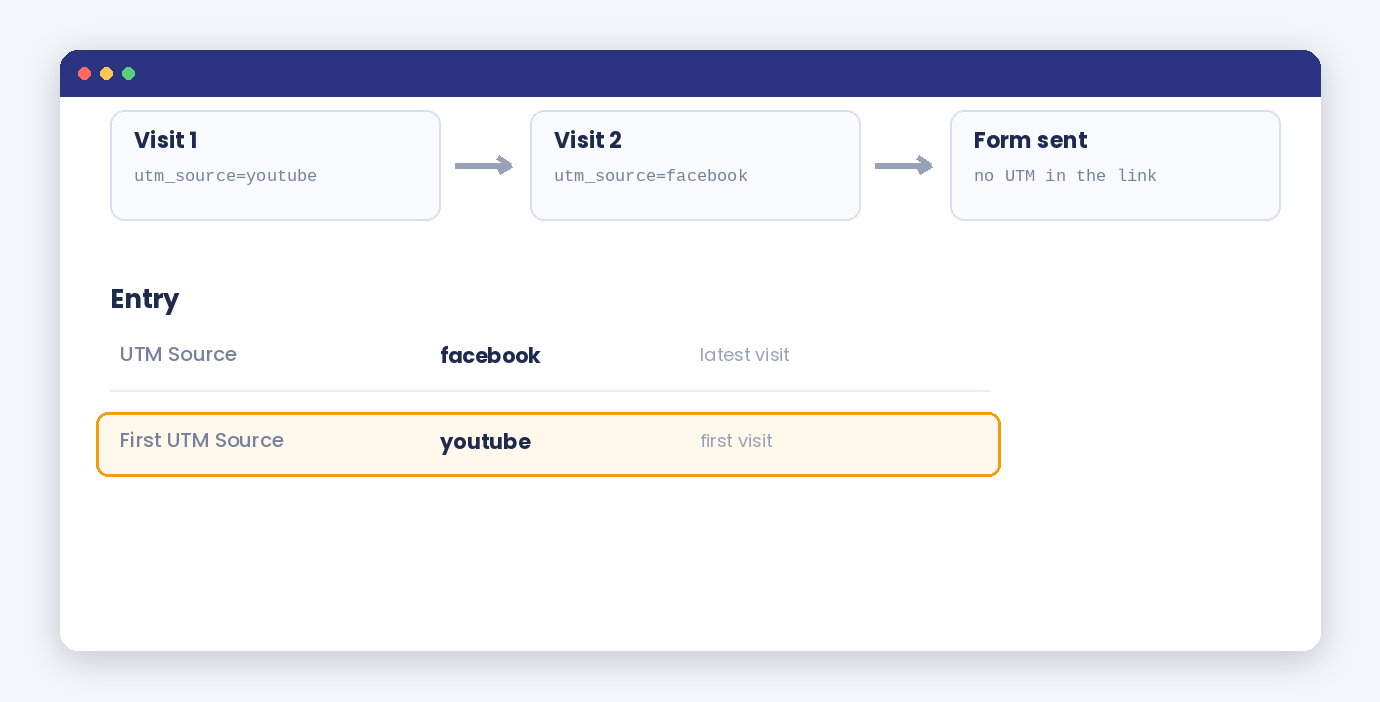
We tested this on our test site with one visitor in a private window:
- Visit 1: the visitor opened the form page from a link with
utm_source=youtube. - Visit 2: later, they came back from a link with
utm_source=facebook. - Form sent: then they opened the page from a normal link, with nothing extra in the address, and sent the form.
The entry showed UTM Source: facebook (the latest ad) and First UTM Source: youtube (the ad that found them). Both values arrived, even though the form was sent from a link with no UTM parameters at all.
Good to know
- A new ad visit replaces all the “latest” values. In another test, a visit with only a Google Ads click ID (gclid) and no UTM parameters left UTM Source empty on the entry. The latest visit simply had no UTM source. The first-visit values stayed the same.
- Other pairs work the same way. Use
{utm_campaign}and{first_utm_campaign}for campaign names,{gclid}and{first_gclid}for Google Ads, or{fbclid}and{first_fbclid}for Facebook ads. - Pages and sites, too.
{first_landing_url}and{last_landing_url}save the page the visitor landed on, and{first_referrer}and{last_referrer}the site that sent them. See how to save the landing page and referrer. - Closing a private window clears the cookie, so if you test in one, keep it open between visits.
- Ask your visitors for consent first where the law requires it.
Which one should you trust?
Neither is the full story, which is why it’s worth saving both. A simple way to read them:
- If an ad shows up a lot as First UTM Source but rarely as the latest, it’s good at finding new people. Don’t turn it off just because it doesn’t “close”.
- If an ad shows up a lot as the latest source, it’s good at bringing people back when they’re ready.
- If both values are the same, the visitor came once and acted. That ad did the whole job.
To compare them across many leads, send your entries to a spreadsheet with the free Google Sheets add-on, or to your CRM with a webhook: the same tags work in webhook JSON templates.
Summary
First-touch tells you which ad found a lead; last-touch tells you which ad brought them back to act. In Auto Form Builder, add two hidden fields, one with {utm_source} and one with {first_utm_source}, and every entry shows both. It’s free, and it works even when the form is sent from a page with no UTM parameters.
Related reading:
FAQ
Which one should I use, first-touch or last-touch?
Save both. It costs you one extra hidden field, and you can decide later which one to trust for each campaign.
Does a normal visit change the first or the latest values?
No. Only visits that come from a link with ad click IDs or UTM parameters change them. Normal visits leave both alone.
How long is the first visit remembered?
As long as the cookie lasts. You set the number of days in Cookie lifetime on the Ad Tracking settings page.