What Is Conditional Logic – Why Your WordPress Forms Need Conditional Logic
Your form asks 15 questions. But half your visitors only need to answer 8. The rest are irrelevant to their situation. They see a wall of fields, feel overwhelmed, and abandon. Without conditional logic, you’re forcing everyone through the same rigid path—losing leads and collecting mediocre data. Here’s why conditional logic isn’t optional anymore.
What Is Conditional Logic?
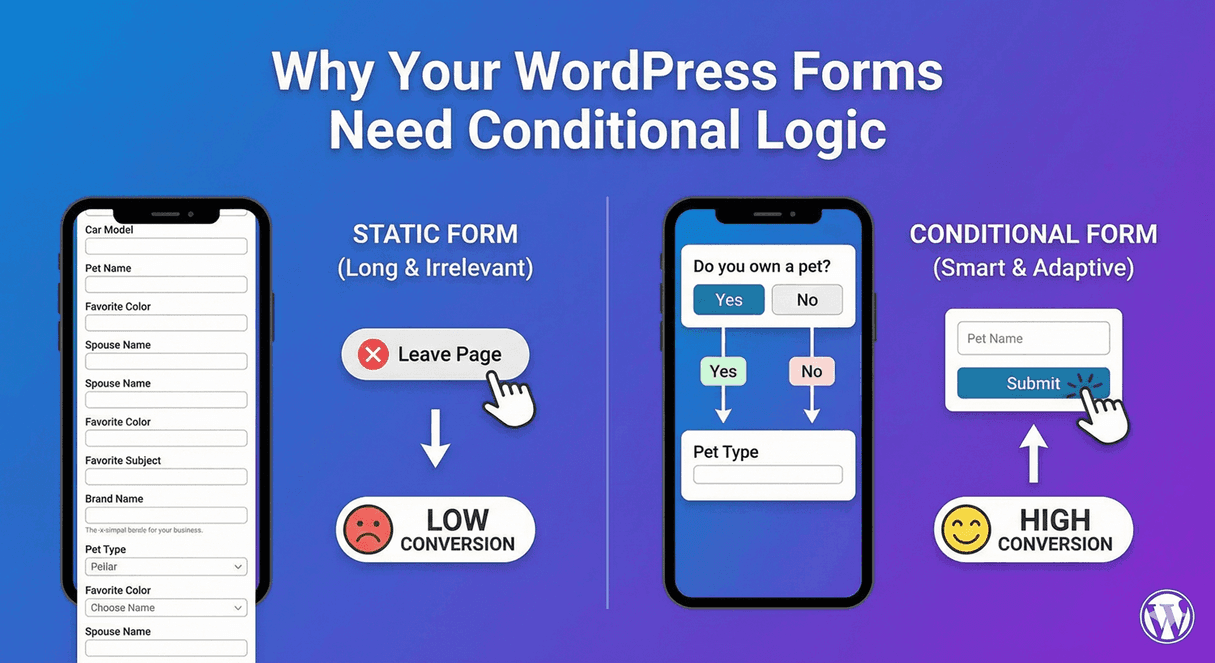
Conditional logic shows or hides form fields based on user responses. Select “Business inquiry” and company fields appear. Choose “Personal” and they stay hidden. The form adapts to each user instead of showing everyone everything.
Before Conditional Logic
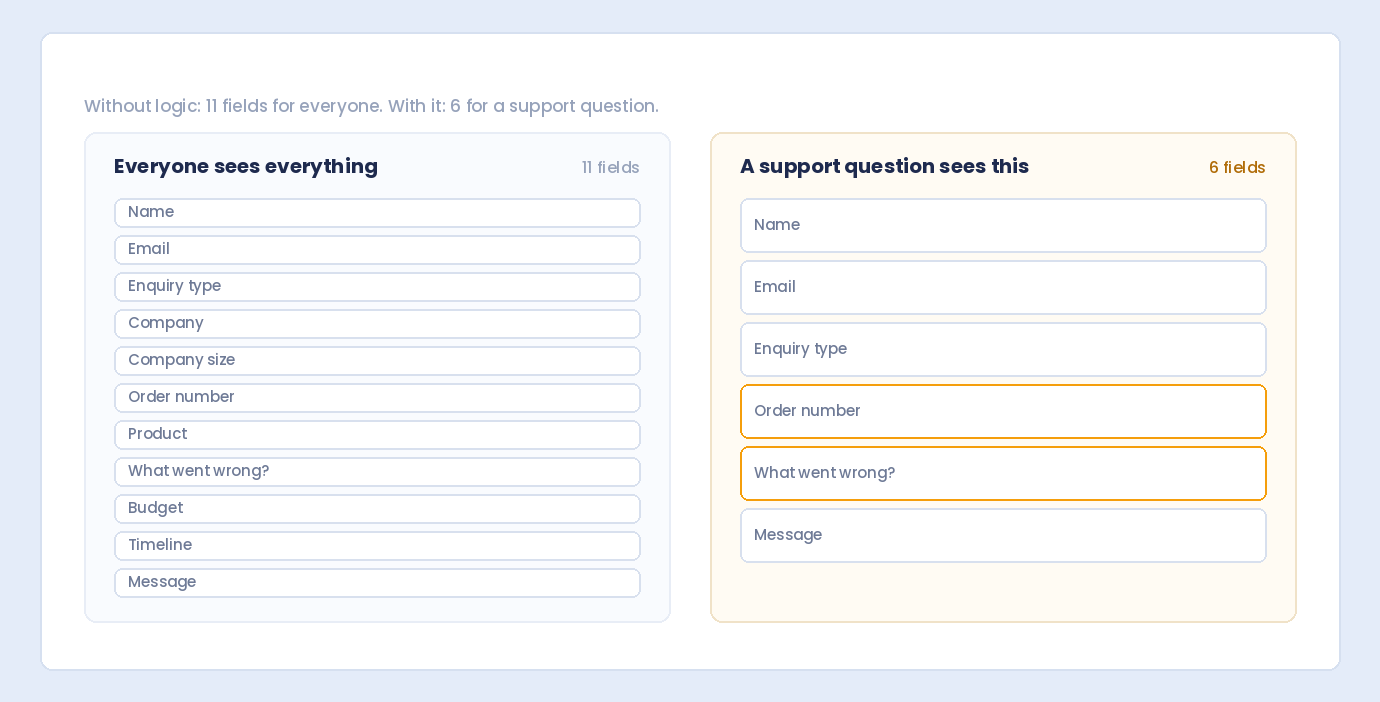
Name Email Phone Company Name Company Size Industry Budget Personal or Business? Existing Customer? Customer ID How did you hear about us? Message
12 fields. Everyone sees all of them.
With Conditional Logic
Name Email Phone Personal or Business? → IF Business: Company Name, Company Size, Industry, Budget Existing Customer? → IF Yes: Customer ID → IF No: How did you hear about us? Message
Personal visitors see 6 fields. Business prospects see 10. Existing customers see their relevant questions.
Reason #1: Higher Conversion Rates
The Problem
Long forms kill conversions. Each additional field increases abandonment. Studies show:
- Reducing form fields from 11 to 4 increased conversions by 120%
- Each field removed can boost conversions 5-10%
- Users spend an average of 4 minutes on forms before abandoning
How Conditional Logic Helps
Instead of removing fields (and losing data), conditional logic hides irrelevant ones. Users see fewer fields without you collecting less information.
Real Impact
Without logic: 15 fields → 23% completion rate With logic: 6-10 fields (conditional) → 41% completion rate
Same data collected. Nearly double the completions.
Reason #2: Better User Experience
The Problem
Irrelevant questions frustrate users:
- “Why are they asking for my company name? I’m an individual.”
- “I already said I’m not a customer. Why do they want my customer ID?”
- “This question doesn’t apply to me.”
How Conditional Logic Helps
Every question feels relevant because it IS relevant. Users answer questions that matter to their situation. No confusion. No irrelevant fields.
The Experience
Without logic: "This form doesn't understand my needs" With logic: "This form gets exactly what I need"
Reason #3: Higher Quality Data
The Problem
When users encounter irrelevant fields, they:
- Enter garbage data (“N/A”, “xxx”, “asdf”)
- Skip optional fields entirely
- Make up answers to finish faster
- Abandon without submitting
How Conditional Logic Helps
Users only see questions they can meaningfully answer. No forced responses to irrelevant prompts. Every submission contains relevant, accurate information.
Data Quality Comparison
Without logic: - Company Name: "N/A" (34% of entries) - Budget: "Not sure" (28% of entries) - Unusable data requiring follow-up With logic: - Company Name: Actual company names (100% of business inquiries) - Budget: Real budget ranges (93% of qualified leads) - Clean data ready for action
Reason #4: Forms Feel Shorter
The Psychology
Perceived length matters more than actual length. A 20-field form that shows 7 at a time feels shorter than a 10-field form shown all at once.
How Conditional Logic Helps
- Initial impression: “This is quick”
- Progressive reveal: “Just a few more questions”
- Relevant questions: “These make sense”
The Effect
Same total questions. Dramatically different perception. Users start with confidence and finish without fatigue.
Reason #5: Personalized Experiences
The Problem
Generic forms treat everyone the same:
- Returning customers asked qualifying questions they’ve already answered
- Enterprise prospects shown options irrelevant to their scale
- Different user types forced through identical paths
How Conditional Logic Helps
Each user gets a tailored experience:
- Returning customers: Skip to their specific needs
- Enterprise: See enterprise-relevant options
- Small business: See small business-relevant options
Personalization Examples
IF existing customer → Show: Customer ID, skip "how did you hear about us" IF new visitor → Show: Discovery questions, hide customer ID IF enterprise budget → Show: Dedicated support options IF startup budget → Show: Self-service options
Reason #6: Reduced Form Abandonment
Where Users Abandon
- Seeing too many fields upfront
- Encountering irrelevant questions mid-form
- Hitting required fields they can’t answer
- Feeling the form doesn’t apply to them
How Conditional Logic Reduces Abandonment
- Shorter initial appearance
- No irrelevant questions
- Required fields only when relevant
- Form feels custom-built for each user
Abandonment Impact
Without logic: 67% abandonment rate With logic: 42% abandonment rate
25% more users completing your forms.
Reason #7: Smarter Lead Qualification
The Problem
Without logic, you get:
- Unqualified leads mixed with qualified ones
- Missing information on promising leads
- Sales team spending time on bad fits
How Conditional Logic Helps
Progressive qualification reveals more questions as leads qualify:
Budget: Under $1,000 → Thank you, here are self-service resources Budget: $1,000-$10,000 → A few more questions about your needs Budget: $10,000+ → Detailed project questions + calendar booking
Lead Quality Impact
- Sales receives pre-qualified leads
- High-value prospects get appropriate attention
- Lower-value inquiries routed efficiently
Reason #8: Streamlined Workflows
Without Conditional Logic
- Receive submission
- Review all fields
- Identify which fields are relevant
- Ignore irrelevant data
- Route based on manual review
With Conditional Logic
- Receive submission
- All data is relevant
- Auto-route based on responses
Workflow Benefits
- Faster processing
- Less manual sorting
- Automatic routing to right team
- Cleaner CRM data
Reason #9: Mobile-Friendly Forms
The Mobile Challenge
Over 60% of form submissions happen on mobile. Long forms on small screens are painful:
- Endless scrolling
- Tiny tap targets
- Easy to lose place
- High abandonment
How Conditional Logic Helps
- Fewer fields visible at once
- Less scrolling required
- Focused experience
- Mobile completion rates increase
Mobile Impact
Without logic on mobile: 18% completion rate With logic on mobile: 35% completion rate
Reason #10: Professional Appearance
First Impressions
Forms reflect your brand. A generic, one-size-fits-all form says:
- “We don’t know our customers”
- “We haven’t thought this through”
- “We prioritize our data over your time”
Smart Forms Say
- “We understand different needs”
- “We respect your time”
- “We’re sophisticated and thoughtful”
Brand Impact
Conditional logic signals attention to detail—a quality that extends to how you’ll handle their business.
Common Use Cases
Contact Forms
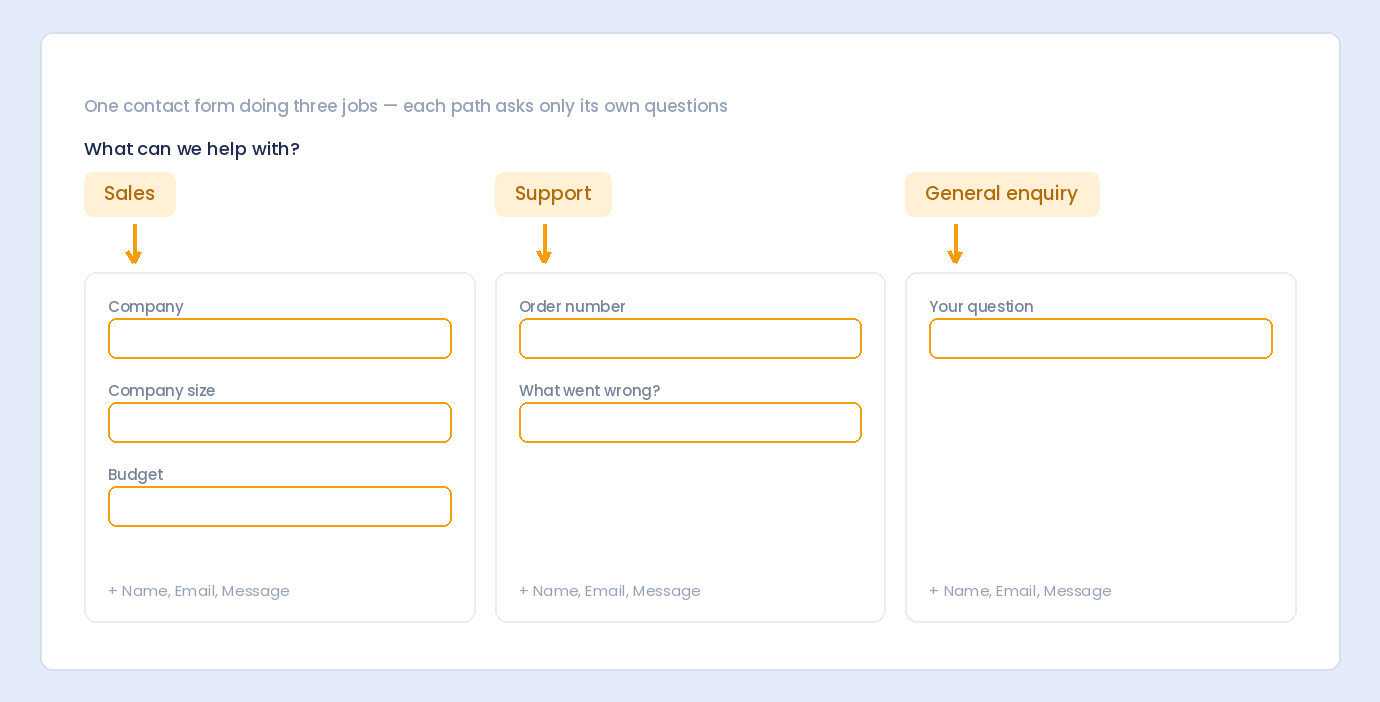
Inquiry Type: Sales | Support | Billing | Other → Each shows different follow-up questions
Registration Forms
Account Type: Individual | Business | Enterprise → Different fields for each tier
Survey Forms
Satisfaction: 1-3 | 4-5 → Low scores: "What went wrong?" → High scores: "What did we do well?"
Order Forms
Shipping: Same as Billing | Different Address → IF Different: Show shipping address fields
Application Forms
Experience Level: Entry | Mid | Senior → Different qualification questions per level
What Happens Without Conditional Logic
Scenario: Service Inquiry
Without Logic:
- Visitor lands on form
- Sees 14 fields for all service types
- Only needs 6 for their specific service
- Confused by irrelevant questions
- Enters “N/A” in 8 fields
- Or abandons entirely
With Logic:
- Visitor lands on form
- Sees 4 initial fields
- Selects their service type
- 2-4 relevant questions appear
- Submits with 6-8 meaningful answers
- Feels understood and respected
The ROI of Conditional Logic
Quantifiable Benefits
- Conversion rate: +40-80% improvement
- Abandonment: -25-40% reduction
- Data quality: -60% garbage entries
- Processing time: -30% per submission
- Lead quality: +50% qualified leads
Cost of NOT Using Conditional Logic
- Lost leads from abandonment
- Wasted time on unqualified leads
- Poor data requiring cleanup
- Frustrated users less likely to return
Objections Addressed
“It’s too complicated to set up”
Modern form builders make conditional logic visual and intuitive. No coding required. Point, click, and set your conditions.
“We need all the data from everyone”
If a field doesn’t apply to someone, their answer has no value. “N/A” in a company field tells you nothing. Conditional logic gets you MORE useful data, not less.
“Our forms aren’t that long”
Even short forms benefit. A 6-field form where 2 fields are irrelevant to half your visitors is still a poor experience for those visitors.
“Users will miss important fields”
The opposite is true. When every field is relevant, users pay attention. When surrounded by irrelevant fields, users rush and miss things.
Getting Started
Step 1: Audit Current Forms
- Which fields don’t apply to all users?
- Where do users enter “N/A” or skip?
- What questions could be follow-ups to others?
Step 2: Map Your Logic
- Identify trigger questions
- Define which fields depend on which answers
- Plan the user paths
Step 3: Implement and Test
- Set up conditions in your form builder
- Test every path
- Verify data saves correctly
Step 4: Monitor and Optimize
- Track completion rates
- Review data quality
- Refine conditions based on results
Summary
Why your WordPress forms need conditional logic:
- Higher conversions – Shorter perceived forms complete better
- Better UX – Every question feels relevant
- Quality data – No garbage entries
- Shorter feel – Same data, better experience
- Personalization – Tailored to each user
- Less abandonment – Users finish what they start
- Smarter leads – Pre-qualified prospects
- Streamlined workflows – Clean data, auto-routing
- Mobile-friendly – Works on small screens
- Professional image – Shows attention to detail
Conclusion
Conditional logic transforms forms from rigid questionnaires into intelligent conversations. Users see only what matters to them. You collect better data with higher completion rates. It’s not a nice-to-have feature—it’s essential for any form that serves diverse users with different needs.
If your forms don’t adapt to your users, you’re losing leads, collecting poor data, and frustrating the people you’re trying to reach. The solution is straightforward: add conditional logic.
Auto Form Builder offers conditional logic through its Pro add-on, making it easy to create smart forms that show the right fields to the right people. Build forms that convert.
Ready to transform your forms? Download Auto Form Builder and start building intelligent forms today.