
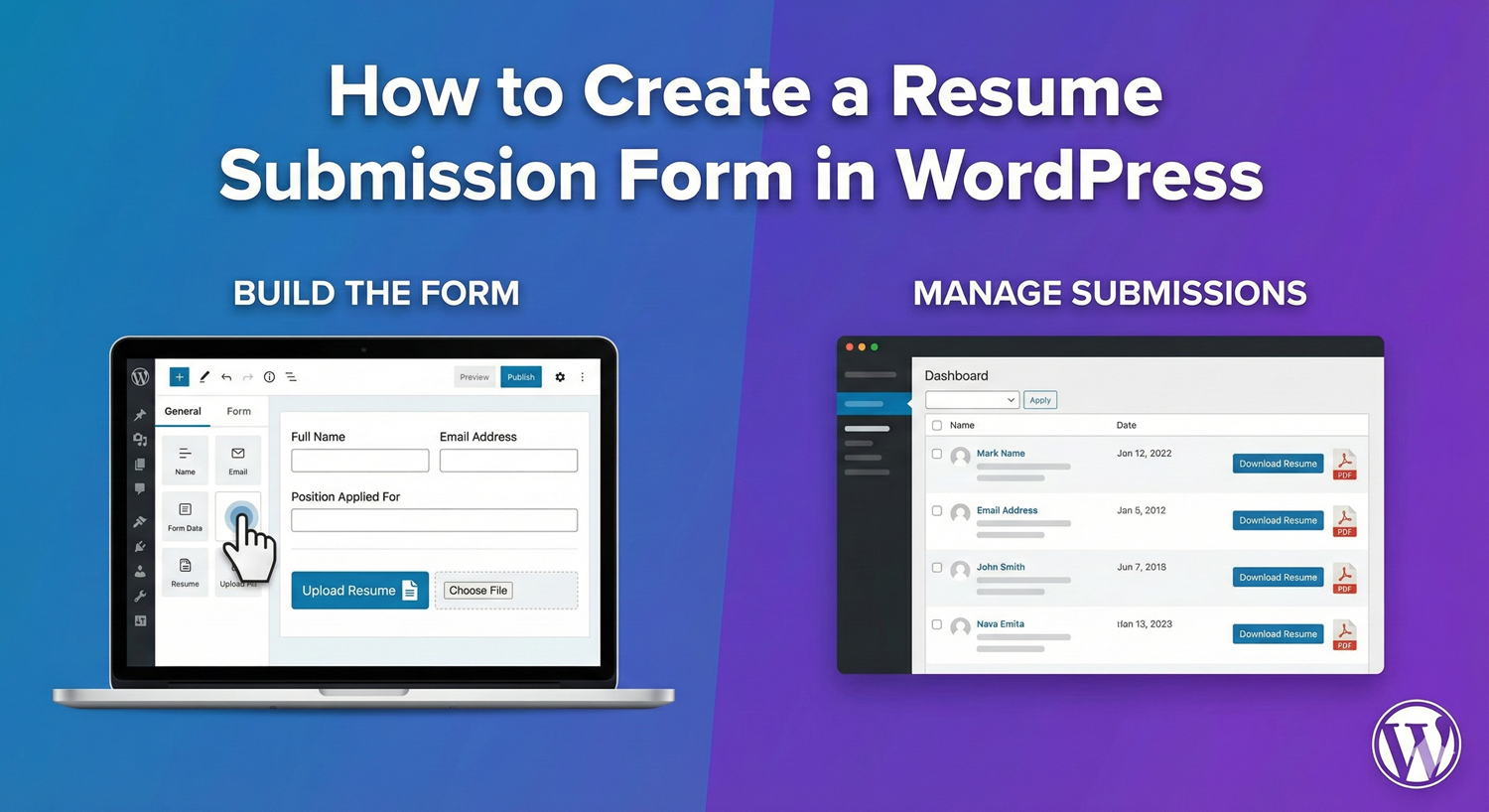
Hiring? You need a way for candidates to submit their resumes directly through your WordPress site. No email attachments to sort through. No lost applications. A proper resume submission form collects candidate information, accepts file uploads, and organizes everything in one place. Here’s how to build one. Name Field: Email Field: Phone Field: Option A: Dropdown (Multiple Positions) Option B: Radio Buttons (Few Positions) Option C: Text Field (Open Positions) File Upload Configuration: Recommended File Type Settings: Helpful Instruction Text: Option A: File Upload Option B: Text Area Choose questions relevant to your hiring needs: Experience Level: Work Authorization: Availability: Success Message: Email Notification: Allow candidates to upload additional documents: Configuration: Show different questions based on position selected: Enable drag and drop for better UX: Form not found. ID: 0 Replace XX with your form ID. Creating a resume submission form: A well-designed resume submission form streamlines your hiring process. Candidates can apply quickly, you receive organized applications with attached files, and everything is stored in one place for easy review. No more email attachments, no lost applications, no formatting issues. Auto Form Builder makes creating resume forms simple. Drag and drop fields, configure file uploads with type restrictions, set up email notifications, and manage all applications from your WordPress dashboard. Ready to streamline hiring? Download Auto Form Builder and start accepting applications today.How to Create a Resume Submission Form in WordPress
What Makes a Good Resume Submission Form?
Essential Elements
Optional Elements
User Experience Goals
Building the Form: Step by Step
Step 1: Create a New Form
Step 2: Add Contact Information Fields
Step 3: Add Position Selection
Label: "Position Applying For"
Type: Dropdown
Options:
- Marketing Manager
- Sales Representative
- Software Developer
- Customer Support
- Other
Label: "Select Position"
Type: Radio
Options:
- Full-time Designer
- Part-time Designer
- Freelance/Contract
Label: "Position You're Applying For"
Type: Text
Placeholder: "e.g., Marketing Manager"
Step 4: Add Resume Upload
✓ Documents (PDF, DOC, DOCX)
✗ Images
✗ Spreadsheets
✗ Archives
"Please upload your resume in PDF, DOC, or DOCX format (max 5MB)"
Step 5: Add Cover Letter Option
Step 6: Add Qualification Questions
Label: "Years of Relevant Experience"
Type: Dropdown
Options:
- Less than 1 year
- 1-3 years
- 3-5 years
- 5-10 years
- 10+ years
Label: "Are you authorized to work in [Country]?"
Type: Radio
Options:
- Yes
- No
- Require sponsorship
Label: "When can you start?"
Type: Dropdown
Options:
- Immediately
- Within 2 weeks
- Within 1 month
- Other (please specify)
Step 7: Configure Form Settings
"Thank you for your application! We've received your resume and will review it shortly. If your qualifications match our needs, we'll contact you within 5-7 business days."
Complete Form Structure
Basic Resume Form (5-6 fields)
Comprehensive Application Form (10-12 fields)
Advanced Features
Multiple File Uploads
Multiple files: Yes
Max files: 5
Total max size: 20MB
Conditional Logic for Positions
IF Position = "Software Developer"
  → Show: Programming Languages (checkboxes)
  → Show: GitHub Profile URL

IF Position = "Marketing Manager"
  → Show: Marketing Channels Experience (checkboxes)
  → Show: Portfolio URL

IF Position = "Sales Representative"
  → Show: CRM Experience (dropdown)
  → Show: Previous Sales Quota Achievement
Drag and Drop Upload
File Type Security
Recommended Accepted Types
Resume/Cover Letter:
✓ PDF (.pdf) - Recommended, preserves formatting
✓ Word (.doc, .docx) - Common format
✗ Plain text (.txt) - Loses formatting
✗ Rich Text (.rtf) - Compatibility issues
Block Risky File Types
Always block:
✗ Executables (.exe, .bat, .sh)
✗ Scripts (.js, .php, .py)
✗ Archives (.zip, .rar) - unless needed
✗ Unknown extensions
File Size Limits
Mobile Optimization
Mobile Application Challenges
Mobile-Friendly Solutions
Mobile File Upload Tips
Instruction text: "Tap to browse files or upload from cloud storage"
Managing Applications
Viewing Submissions
Organizing Applications
Exporting Applications
Email Notification Setup
To HR/Hiring Manager
To: [email protected], [email protected]
Subject: New Application: {position} - {first_name} {last_name}

Body:
New job application received:

Candidate: {first_name} {last_name}
Email: {email}
Phone: {phone}
Position: {position}
Experience: {experience_years}

Resume and cover letter attached.

View full application: [Link to submission]
To Candidate (Confirmation)
To: {email}
Subject: Application Received - {position} at {Company Name}

Body:
Dear {first_name},

Thank you for applying for the {position} position at {Company Name}.

We've received your application and resume. Our hiring team will review your qualifications and contact you if there's a match.

What to expect:
- Initial review: 5-7 business days
- If selected: Phone screening invitation
- Timeline: Hiring process typically takes 2-4 weeks

Thank you for your interest in joining our team!

Best regards,
{Company Name} Hiring Team
Legal Considerations
Equal Opportunity
Data Privacy
Privacy Notice Example
"Your personal information will be used solely for recruitment purposes.
We retain applications for 12 months. You may request deletion at any time
by contacting [email protected]."
Testing Your Form
Test Checklist
Common Issues
Embedding the Form
Dedicated Careers Page
Individual Job Postings
Shortcode Placement
Sample Form Preview
╔══════════════════════════════════════════╗
║         JOB APPLICATION FORM             ║
╠══════════════════════════════════════════╣
║                                          ║
║  First Name *          Last Name *       ║
║  [____________]        [____________]    ║
║                                          ║
║  Email Address *                         ║
║  [________________________________]      ║
║                                          ║
║  Phone Number *                          ║
║  [________________________________]      ║
║                                          ║
║  Position Applying For *                 ║
║  [Select a position            ▼]        ║
║                                          ║
║  Upload Your Resume *                    ║
║  ┌────────────────────────────────┐      ║
║  │  📄 Drag files here or click   │      ║
║  │     to browse                  │      ║
║  │     PDF, DOC, DOCX (Max 5MB)   │      ║
║  └────────────────────────────────┘      ║
║                                          ║
║  Cover Letter (Optional)                 ║
║  ┌────────────────────────────────┐      ║
║  │                                │      ║
║  │                                │      ║
║  │                                │      ║
║  └────────────────────────────────┘      ║
║                                          ║
║  Years of Experience *                   ║
║  [Select experience level      ▼]        ║
║                                          ║
║        [  SUBMIT APPLICATION  ]          ║
║                                          ║
╚══════════════════════════════════════════╝
Summary
Conclusion


Learn how to bulk delete form submissions in WordPress. Remove multiple entries at once to clean up spam, test data, and old submissions efficiently.

Master WordPress form submission management. Learn to view, filter, search, star, export, and organize form entries like a pro with this complete guide.

Learn how to search and find form submissions in WordPress. Filter by date, form, status, and search across all submission data.
Comparing Auto Form Builder and Contact Form 7 for WordPress. See which form plugin offers better ease of use, features, and value for your website.

Learn how to view, organize, search, filter, and export your WordPress form submissions. Complete guide to submission management.

Learn why storing form data on your own server helps with GDPR compliance. Choose form plugins that keep your user data local and under your control.

Learn how to filter WordPress form submissions by date. Find entries from specific time periods quickly using date range filters.

Learn how to bulk edit, delete, and manage form submissions in WordPress. Save time with mass actions on multiple entries at once.

Learn how to restrict date fields to future dates only for event registration forms. Block past dates and set booking windows in WordPress.

Learn how to create quantity fields in WordPress forms. Collect numbers for guests, items, tickets, and more with proper validation and limits.

Learn how to star and flag important form submissions in WordPress. Prioritize leads, mark urgent requests, and organize your form entries effectively.

Learn how to set up email notifications for your WordPress forms so you never miss a submission. Step-by-step guide with Auto Form Builder.
