

Creating a Quote Request Form with Conditional Logic
Learn how to create a quote request form with conditional logic in WordPress. Build dynamic forms that show relevant questions based on service selection.

Creating Form Sections with HTML Blocks
Learn how to create form sections using HTML blocks in WordPress. Organize long forms with headings, dividers, and visual groupings for better UX.

How to Create Password Fields in WordPress Forms
Learn how to add password fields to your WordPress forms. Create secure registration forms with masked input and password confirmation.

How to Add a Time Picker to WordPress Forms
Learn how to add a time picker to WordPress forms. Configure 12/24 hour formats, time intervals, and restrictions for appointment and scheduling forms.
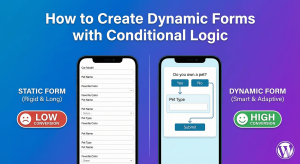

How to Create Price/Currency Input Fields in WordPress
Learn how to create price and currency input fields in WordPress forms. Configure currency symbols, decimal places, and proper formatting for financial data.

How to Backup Your WordPress Form Submissions
Learn how to backup WordPress form submissions. Export to CSV, JSON, or XML to protect your form data from loss with regular backup strategies.

How to Add Phone Number Fields to WordPress Forms
Learn how to add phone number fields to WordPress forms. Configure formats, validation, auto-formatting, and collect phone numbers the right way.
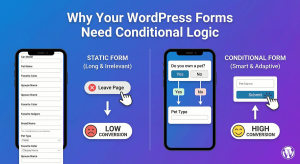
What Is Conditional Logic – Why Your WordPress Forms Need Conditional Logic
Discover why conditional logic is essential for WordPress forms. Boost conversions, collect better data, and create personalized user experiences.

How to Add a Date Picker to WordPress Forms
Learn how to add a date picker to WordPress forms. Create user-friendly date selection with calendars, format options, and date restrictions.
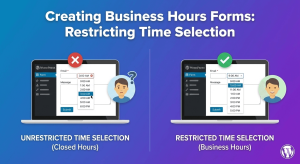
Creating Business Hours Forms: Restricting Time Selection
Learn how to restrict time selection to business hours in WordPress forms. Create appointment forms that only allow booking during operating hours.

How to Restrict Email Domains in WordPress Forms
Learn how to restrict email domains in WordPress forms. Accept only business emails, block free providers, or whitelist specific domains for better lead quality.

Combining Date and Time Fields for Complete Scheduling Forms
Learn how to combine date and time fields in WordPress forms for complete scheduling. Create booking forms that capture both when and what time.

Multi-Select Dropdowns: Choose Multiple Options
Learn how to create multi-select dropdowns in WordPress forms. Let users choose multiple options from a single dropdown field with ease.

How to Create Dropdown Menus in WordPress Forms
Learn how to create dropdown menus in WordPress forms. Add single and multi-select dropdowns with searchable options, placeholders, and validation.

Adding ‘Other’ Option with Text Field to Checkboxes
Learn how to add an 'Other' option with text field to checkbox lists in WordPress forms. Let users specify custom answers when predefined options don't fit.

Text Transformation: Auto-Uppercase, Lowercase, Title Case
Learn how to use text transformation in WordPress forms. Automatically convert user input to uppercase, lowercase, or title case for consistent data.
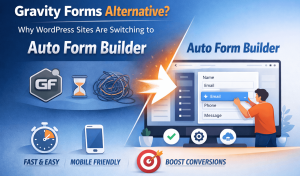
Gravity Forms Alternative: Why More WordPress Sites Are Switching to Auto Form Builder
Gravity Forms built its reputation as a powerful WordPress form plugin — and for many sites, it still works well. But a growing number ...
