


How to Add Email Fields to WordPress Forms
Learn how to add email fields to WordPress forms. Configure validation, confirmation fields, and domain restrictions for accurate email collection.

Form Templates: Speed Up Your WordPress Form Creation
Learn how to use form templates to create WordPress forms in minutes. Pre-built templates for contact forms, feedback, support, and more.

How to Add Text Fields to WordPress Forms
Learn how to add and configure text fields in WordPress forms. Single-line inputs, textareas, placeholders, validation, and more.
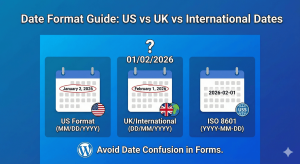
Date Format Guide: US vs UK vs International Dates
Learn about date format differences between US, UK, and international standards. Choose the right format for your WordPress forms and global audience.

Creating Terms & Conditions Checkboxes in WordPress
Learn how to create Terms & Conditions checkboxes in WordPress forms. Add required consent checkboxes for legal compliance and user agreements.

How to Add ‘Select All’ to Checkbox Lists
Learn how to add a 'Select All' option to checkbox lists in WordPress forms. Let users quickly select every option with one click for better UX.

Limiting Checkbox Selections: Min and Max Options
Learn how to limit checkbox selections in WordPress forms. Set minimum and maximum options to control how many choices users can make.
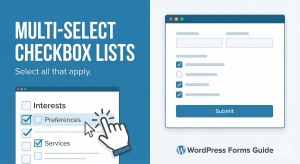
Multi-Select Checkbox Lists: Let Users Choose Multiple Options
Learn how to create multi-select checkbox lists in WordPress forms. Let users choose multiple options from a list with select all that apply checkboxes.

Secure File Uploads: Restricting File Types in WordPress Forms
Learn how to secure file uploads in WordPress forms by restricting file types. Protect your site from malicious uploads while accepting needed files.

Searchable Dropdowns: Making Long Lists User-Friendly
Learn how to create searchable dropdown fields in WordPress forms. Help users quickly find options in long lists with type-to-search functionality.

Radio Buttons vs Dropdown: Which to Use When?
Learn when to use radio buttons vs dropdown menus in WordPress forms. Choose the right selection field based on options count, space, and user experience.

How to Build a US-Only Address Form with State Dropdown
Learn how to create a US-only address form in WordPress with a state dropdown. Collect valid American addresses with proper formatting and validation.

Creating Country/State Dropdowns in WordPress Forms
Learn how to add country and state/province dropdowns to WordPress forms. Create location-aware address fields with pre-populated region options.

How to Set Up Canadian Address Forms with Province Dropdown
Learn how to create WordPress forms with Canadian address fields including province dropdown and postal code. Perfect for Canadian businesses.

How to Build Appointment Scheduling Forms with Time Slots
Learn how to create appointment scheduling forms in WordPress with date selection and time slots. Build booking forms for consultations, services, and meetings.
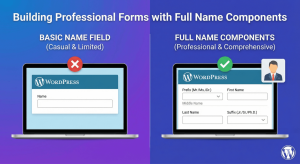
Building Professional Forms with Full Name Components
Learn how to build professional forms with name components. Configure prefix, first name, middle name, last name, and suffix fields for complete names.

US Phone Number Format: Setting Up (123) 456-7890 in Forms
Learn how to set up US phone number format (123) 456-7890 in WordPress forms. Auto-format phone numbers as users type for consistent data collection.
