International vs Local Address Forms: Which Preset to Use?

International vs Local Address Forms

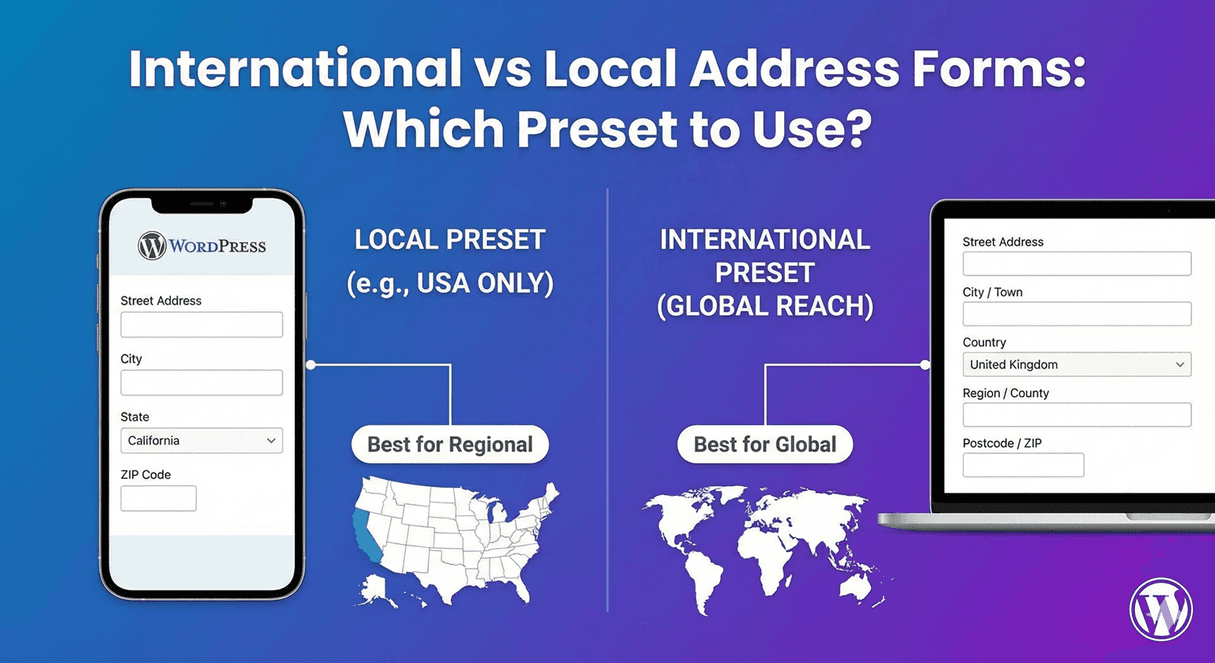
Address forms aren’t one-size-fits-all. A US preset asks for “State” and “ZIP Code”—perfect for American customers, confusing for a UK visitor who has “County” and “Postcode.” The right preset matches your audience: local presets for regional businesses, international for global reach. Choose wrong, and you’ll frustrate users or collect incomplete data.

In this guide, you’ll learn when to use international versus local address presets and how to choose the right one for your forms.

Understanding Address Presets

What Are Address Presets?

Presets are pre-configured address field setups that include:

  • Appropriate components (fields)
  • Country-specific labels
  • Correct field order
  • Relevant validation
  • Region/state options (if applicable)

Available Presets

  • International: Flexible for any country
  • US: United States format
  • Canada: Canadian format with provinces
  • UK: British format with postcode
  • EU: European format
  • Custom: Build your own

International Preset

What It Includes

  • Address Line 1
  • Address Line 2
  • City
  • State/Province/Region (text field)
  • Postal/ZIP Code
  • Country (dropdown)

Key Features

  • Generic labels work worldwide
  • Text field for region (any format)
  • Flexible postal code validation
  • Full country dropdown

When to Use International

  • Global e-commerce
  • International shipping
  • Worldwide audience
  • Don’t know where users are from
  • Multi-country services
  • International conferences/events

Pros

  • Works for any country
  • No user frustration from wrong format
  • Future-proof for expansion
  • One form for everyone

Cons

  • Less specific validation
  • No state dropdown for known countries
  • Labels may feel generic
  • Country field always required

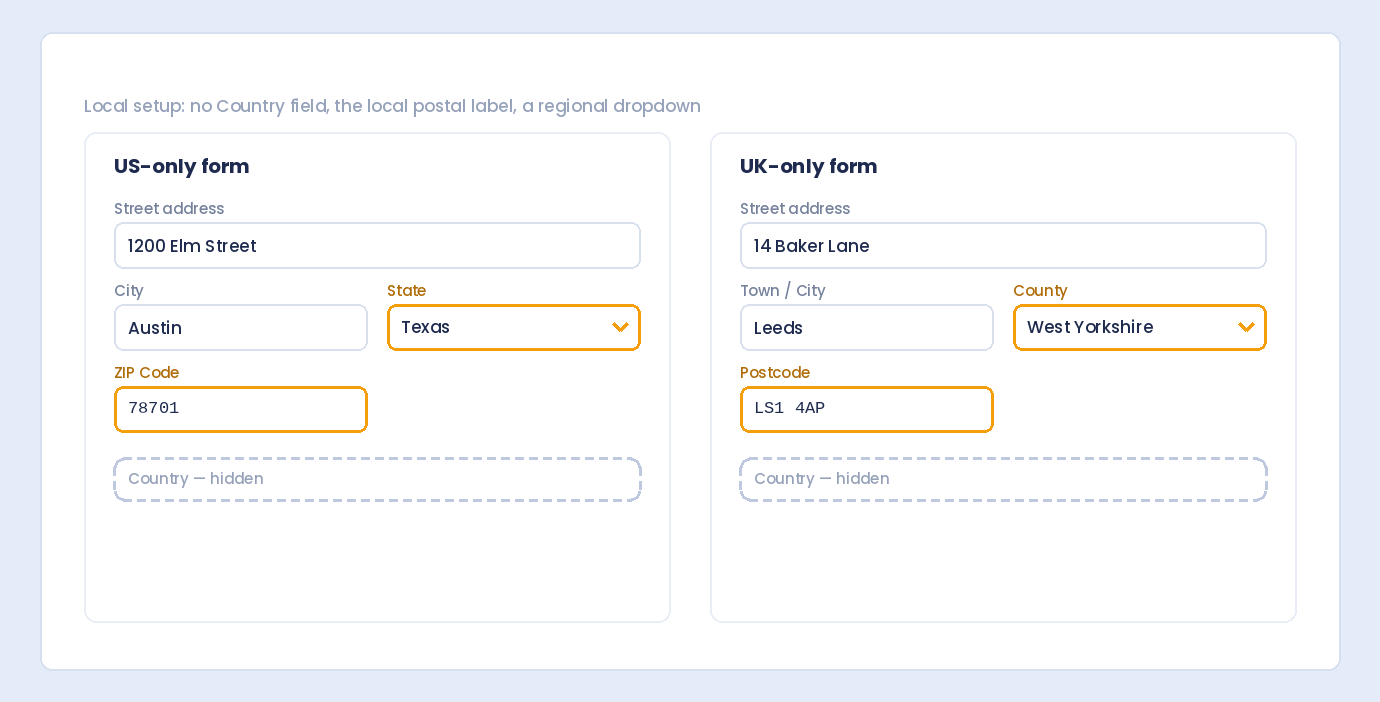
US Preset

What It Includes

  • Street Address
  • Address Line 2 (Apt, Suite, etc.)
  • City
  • State (dropdown with 50 states + DC + territories)
  • ZIP Code (5 or 9 digit format)

Key Features

  • State dropdown with all US states
  • “ZIP Code” label (not “Postal Code”)
  • ZIP validation (5 digits or ZIP+4)
  • No country field needed

When to Use US Preset

  • US-only business
  • Domestic shipping only
  • American customer base
  • US service area
  • Forms requiring US addresses only

Pros

  • State dropdown prevents errors
  • Familiar format for Americans
  • ZIP validation catches typos
  • Cleaner without country field

Cons

  • Excludes international users
  • Can’t serve global customers
  • Limits business growth

Canada Preset

What It Includes

  • Street Address
  • Address Line 2
  • City
  • Province/Territory (dropdown)
  • Postal Code (A1A 1A1 format)

Key Features

  • Province dropdown (13 provinces/territories)
  • “Postal Code” label
  • Canadian postal code format (letter-number pattern)
  • No country field

When to Use Canada Preset

  • Canadian-only business
  • Domestic Canadian shipping
  • Canadian service providers
  • Forms for Canadian addresses only

Pros

  • Province dropdown accurate
  • Proper postal code format
  • Familiar for Canadians

Cons

  • Excludes non-Canadian users
  • Limited to one country

UK Preset

What It Includes

  • Address Line 1
  • Address Line 2
  • City/Town
  • County (optional)
  • Postcode

Key Features

  • “Postcode” label (not ZIP)
  • County field (often optional)
  • UK postcode format validation
  • No state dropdown needed

When to Use UK Preset

  • UK-only business
  • British e-commerce
  • UK service providers
  • Forms for UK addresses only

Pros

  • Correct British terminology
  • Proper postcode validation
  • Familiar format for UK users

Cons

  • UK-only applicability
  • Excludes other countries

EU Preset

What It Includes

  • Street Address
  • Address Line 2
  • Postal Code
  • City
  • Country (EU countries dropdown)

Key Features

  • Postal code before city (European convention)
  • Country dropdown with EU member states
  • Generic European formatting
  • Flexible postal codes

When to Use EU Preset

  • European Union focused business
  • EU shipping only
  • European customer base
  • GDPR-relevant data collection

Pros

  • Covers multiple European countries
  • European address conventions
  • Limited country list (focused)

Cons

  • Excludes non-EU countries
  • UK may need separate handling post-Brexit

Custom Preset

What It Does

Build your own address format:

  • Toggle each component on/off
  • Customize labels
  • Set required/optional per field
  • Choose field order

When to Use Custom

  • Unique address requirements
  • Non-standard formats
  • Minimal address collection (city + country only)
  • Specific industry needs
  • Hybrid requirements

Custom Configuration Options

  • Address Line 1: On/Off, Required/Optional
  • Address Line 2: On/Off, Required/Optional
  • City: On/Off, Required/Optional
  • Region: On/Off, Text or Dropdown
  • Postal Code: On/Off, Required/Optional
  • Country: On/Off, Full list or subset
  • Organization: On/Off

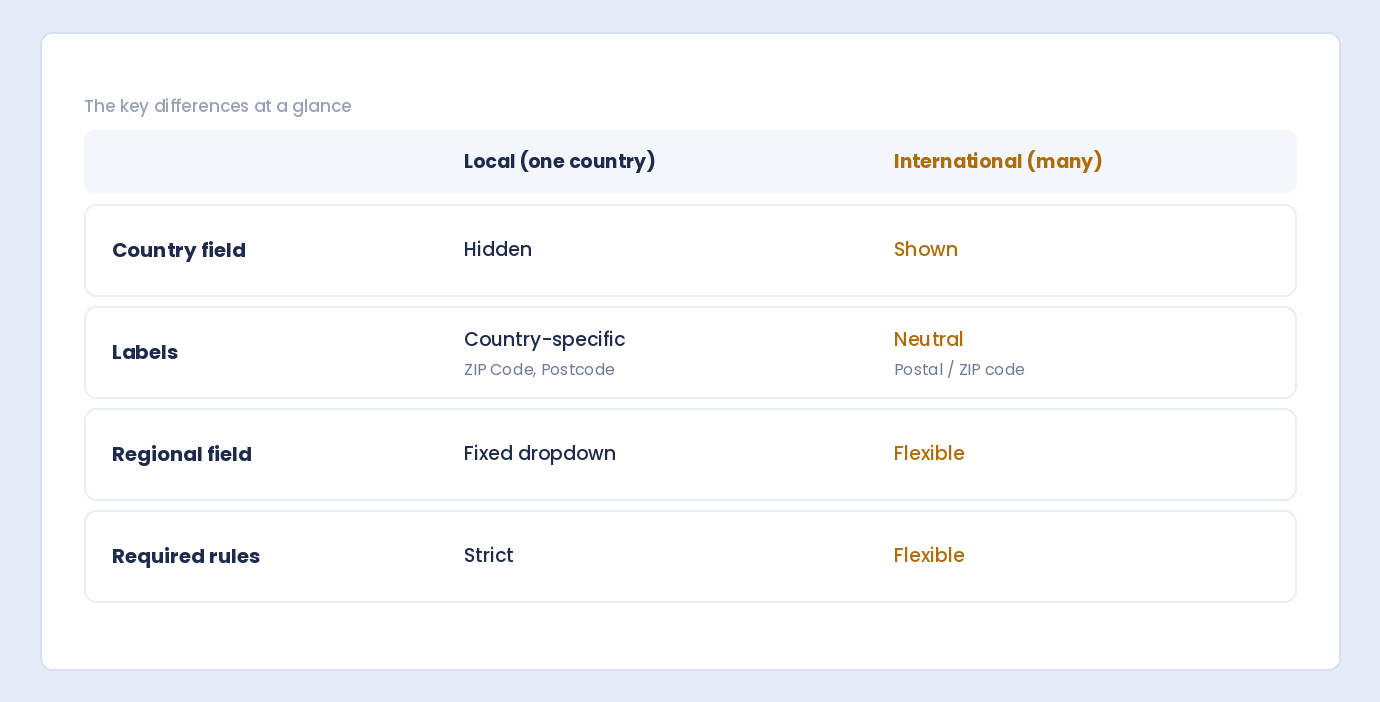
Comparison Table

Feature International US Canada UK EU
Countries Served All US only Canada only UK only EU members
Country Field Yes (required) No No No Yes
State/Region Text field Dropdown Dropdown Optional text Varies
Postal Label Postal/ZIP ZIP Code Postal Code Postcode Postal Code
Validation Flexible ZIP format A1A 1A1 UK postcode Flexible
Best For Global US business Canadian business UK business European business

Decision Guide

Choose International If:

  • ✓ You ship worldwide
  • ✓ Your audience is global
  • ✓ You’re unsure where users are from
  • ✓ You plan to expand internationally
  • ✓ You serve multiple countries

Choose US If:

  • ✓ You only serve US customers
  • ✓ You only ship domestically in US
  • ✓ Your business is US-only
  • ✓ You want state dropdown validation

Choose Canada If:

  • ✓ You only serve Canadian customers
  • ✓ Canadian domestic shipping only
  • ✓ You want province dropdown

Choose UK If:

  • ✓ You only serve UK customers
  • ✓ UK domestic only
  • ✓ You want proper UK terminology

Choose EU If:

  • ✓ You serve European Union countries
  • ✓ EU shipping only
  • ✓ Want limited country list

Choose Custom If:

  • ✓ None of the presets fit
  • ✓ You need specific components only
  • ✓ Hybrid requirements

Common Scenarios

Scenario 1: US E-commerce, US Shipping Only

Best preset: US

Why: State dropdown for accurate selection, ZIP validation, no unnecessary country field.

Scenario 2: US Company, Ships to US and Canada

Best preset: International (or Custom)

Why: Need to serve both countries. Could also use custom with just US/Canada in country dropdown.

Scenario 3: European E-commerce, EU Shipping

Best preset: EU

Why: Covers multiple EU countries, European address format, limited country list.

Scenario 4: Global SaaS Company

Best preset: International

Why: Users from anywhere in the world, flexibility is key.

Scenario 5: Local Service Business (One City)

Best preset: Custom (minimal)

Why: Might only need street address and city, no country needed.

Scenario 6: UK Business, Ships UK Only

Best preset: UK

Why: Proper UK format, postcode validation, familiar to customers.

Scenario 7: Canadian Company, US and Canada

Best preset: Custom or International

Why: Custom with US + Canada country dropdown and dynamic state/province based on selection.

Handling Multiple Countries

Option 1: International Preset

Simple, works for everyone, less specific validation.

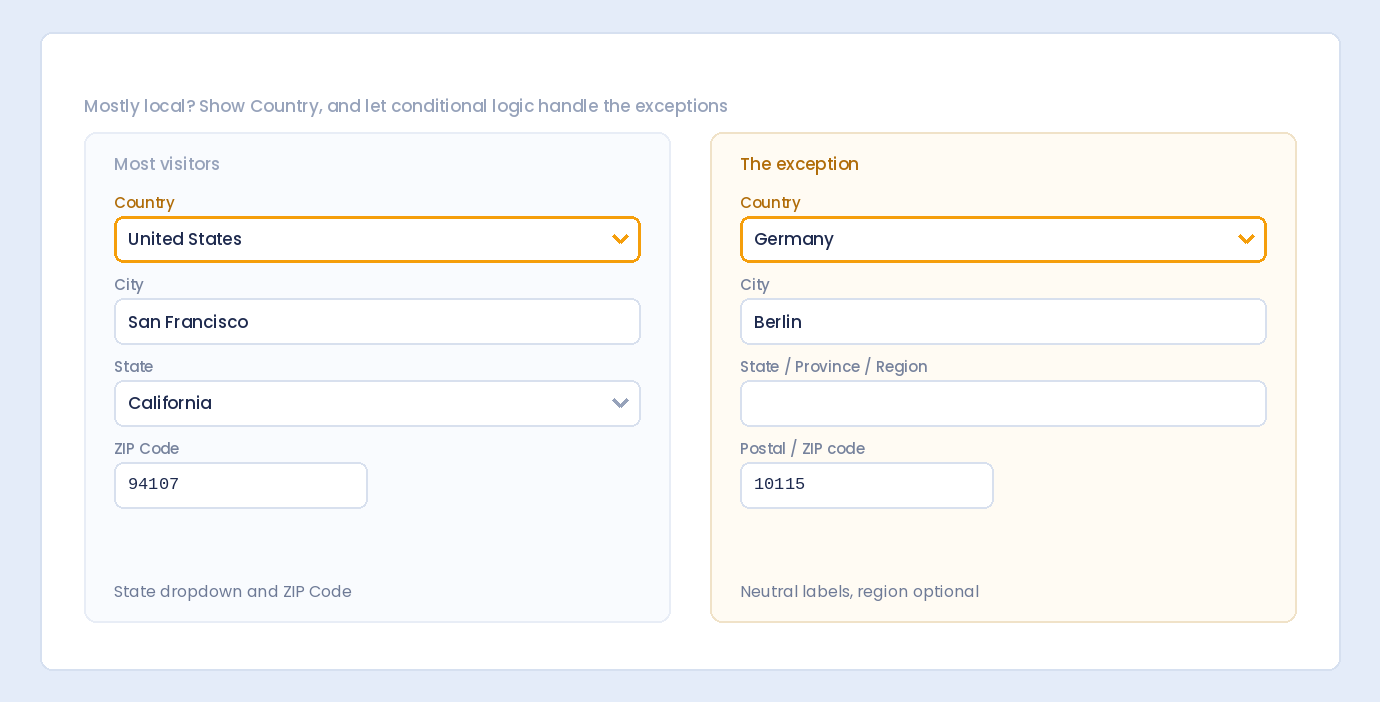
Option 2: Country-Specific Logic

Advanced: Change address format based on country selection:

  • User selects country first
  • Form shows country-specific fields
  • US → State dropdown
  • Canada → Province dropdown
  • Others → Text field

Requires conditional logic or advanced configuration.

Option 3: Separate Forms

Different pages for different regions:

  • /us/checkout with US preset
  • /uk/checkout with UK preset
  • /international with International preset

User Experience Considerations

Familiarity Matters

  • US users expect “State” and “ZIP Code”
  • UK users expect “Postcode”
  • Wrong terminology causes confusion

Validation Trade-offs

  • Local presets: Strict validation (fewer errors)
  • International: Loose validation (more flexibility)
  • Too strict → frustrates valid entries
  • Too loose → allows errors

Field Count

  • International has more fields (country)
  • Local presets are slightly shorter
  • Shorter forms → higher completion

Migration Considerations

Expanding from Local to International

If you start US-only and expand:

  • Switch to International preset
  • Add country field
  • Change “State” to “State/Province/Region”
  • Loosen ZIP validation

Narrowing from International to Local

If you stop international shipping:

  • Switch to local preset
  • Remove country field
  • Add state dropdown
  • Tighten validation

Frequently Asked Questions

What if I serve US and Canada only?

Use International preset with a custom country dropdown containing just US and Canada. Or use conditional logic to switch between state/province dropdowns based on country selection.

Should I always use International to be safe?

International works for everyone but loses some UX benefits of local presets (state dropdowns, specific validation). If 95% of your users are from one country, use that country’s preset.

Can I switch presets later?

Yes, but existing submissions stay in their original format. New submissions use the new format. Consider migration for historical data if needed.

What about shipping rate calculations?

Local presets with state dropdowns make shipping zone calculation easier. International addresses may need more complex zone mapping.

Do presets affect data storage?

Data is stored as entered. Preset affects input format and validation, not how data is stored in your database.

Summary

Choosing the right address preset:

  1. Know your audience – Where are your users from?
  2. Consider shipping – Where do you deliver?
  3. International for global – Works everywhere
  4. Local for regional – Better UX for specific countries
  5. Custom for unique needs – Build exactly what you need
  6. Think about expansion – Will you go international later?

Conclusion

The right address preset matches your business reality. US-only business? Use the US preset for state dropdowns and ZIP validation. Global reach? International handles everyone. The preset choice impacts user experience, data quality, and form completion rates. Choose based on who your users actually are, not who they might theoretically be.

Auto Form Builder offers multiple address presets including International, US, Canada, UK, EU, and Custom configurations. Select the preset that matches your audience or build your own custom address format.

Ready to set up your address form? Download Auto Form Builder and choose the address preset that fits your business.

Leave a Reply

Your email address will not be published. Required fields are marked *