Ever taken a survey that asked irrelevant questions? “How satisfied are you with your purchase?” when you never bought anything. Frustrating, right?

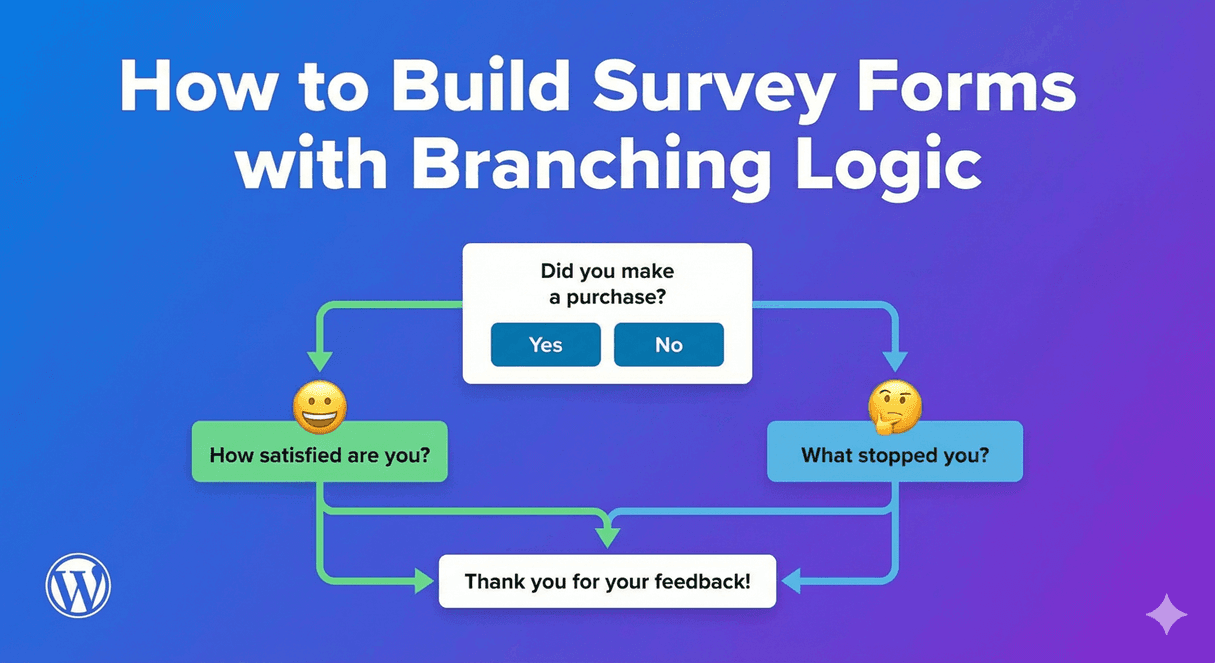
Branching logic (also called skip logic or conditional logic) solves this by showing different questions based on previous answers. The result: shorter, smarter surveys that feel personalized.

In this guide, you’ll learn how to build professional surveys with branching logic in WordPress.

What Is Branching Logic?

Branching logic creates dynamic forms that adapt based on user responses:

  • If user selects A → Show questions about A
  • If user selects B → Show questions about B
  • If user selects C → Skip to end

Simple Example

Question 1: “Have you used our product?”

  • Yes → Show product satisfaction questions
  • No → Show awareness questions, skip satisfaction section

Each respondent sees only relevant questions.

Also Known As

  • Skip logic – Skip irrelevant sections
  • Conditional logic – Conditions determine what shows
  • Question branching – Questions branch into paths
  • Survey routing – Route respondents through paths

Why Use Branching Logic in Surveys

Better User Experience

  • Shorter surveys (respondents skip irrelevant questions)
  • More relevant questions
  • Less frustration
  • Feels personalized

Higher Completion Rates

Long, irrelevant surveys get abandoned. Branching keeps surveys focused:

  • 20-question survey with branching might show only 10 questions per person
  • Each question feels relevant
  • Respondents finish more often

Better Data Quality

  • No “N/A” or forced answers to irrelevant questions
  • Responses reflect actual experience
  • Cleaner data for analysis

More Detailed Insights

  • Ask follow-up questions only when relevant
  • Dive deeper based on initial responses
  • Segment respondents automatically

Common Branching Scenarios

Customer Satisfaction Survey

Branch Point: “Overall, how satisfied are you?”

Response Next Questions
Very Satisfied / Satisfied “What did you like most?” + “Would you recommend us?”
Neutral “What could we improve?” + “What would make you more satisfied?”
Dissatisfied / Very Dissatisfied “What went wrong?” + “How can we make it right?” + Contact request

Product Usage Survey

Branch Point: “Which products do you use?”

  • Product A selected → Show Product A questions
  • Product B selected → Show Product B questions
  • Both selected → Show questions for both
  • Neither selected → Skip to awareness questions

Event Feedback Survey

Branch Point: “Did you attend the event in person or virtually?”

  • In person → Questions about venue, food, networking
  • Virtual → Questions about stream quality, platform usability

Employee Survey

Branch Point: “What is your department?”

  • Sales → Questions about sales tools, targets
  • Engineering → Questions about tech stack, processes
  • Marketing → Questions about campaigns, budget
  • All → Common questions about culture, management

Lead Qualification Survey

Branch Point: “What is your budget?”

  • $0-1,000 → Show self-service options
  • $1,000-10,000 → Show standard service questions
  • $10,000+ → Show enterprise questions, request call

Designing Branching Surveys

Step 1: Map Your Survey Flow

Before building, sketch your survey paths:

  1. List all questions you want to ask
  2. Identify branch points (questions that determine paths)
  3. Group related questions together
  4. Draw the flow (flowchart style)

Example Flow Map

START
  │
  ▼
Q1: Have you purchased from us?
  │
  ├── YES ──► Q2: How satisfied? ──► Q3: What did you like?
  │                                        │
  │                                        ▼
  │                                   Q4: Would recommend?
  │                                        │
  │                                        ▼
  │                                      END
  │
  └── NO ───► Q5: How did you hear about us?
                   │
                   ▼
              Q6: What prevented purchase?
                   │
                   ▼
                 END

Step 2: Identify Branch Points

Good branch points are questions where:

  • Answers clearly divide respondents into groups
  • Different groups need different follow-up questions
  • One answer makes other questions irrelevant

Good branch questions:

  • Yes/No questions
  • Multiple choice with distinct categories
  • Rating scales (high vs. low satisfaction)

Step 3: Create Question Groups

Organize questions into logical sections:

  • Section A: For customers who purchased
  • Section B: For prospects who didn’t purchase
  • Section C: Common questions for everyone

Step 4: Define Conditions

For each section or question, define when it shows:

  • Show Section A IF Q1 = “Yes”
  • Show Section B IF Q1 = “No”
  • Show Q7 IF Q3 rating < 3

Building Surveys with Auto Form Builder

Here’s how to create branching surveys:

Step 1: Install Auto Form Builder

  1. Go to Plugins → Add New
  2. Search for “AFB” (the short name for Auto Form Builder)
  3. Find “AFB – Auto Form Builder – Drag & Drop Form Creator
  4. Click Install Now, then Activate

Step 3: Create Your Survey Form

  1. Create a new form
  2. Add all questions as form fields
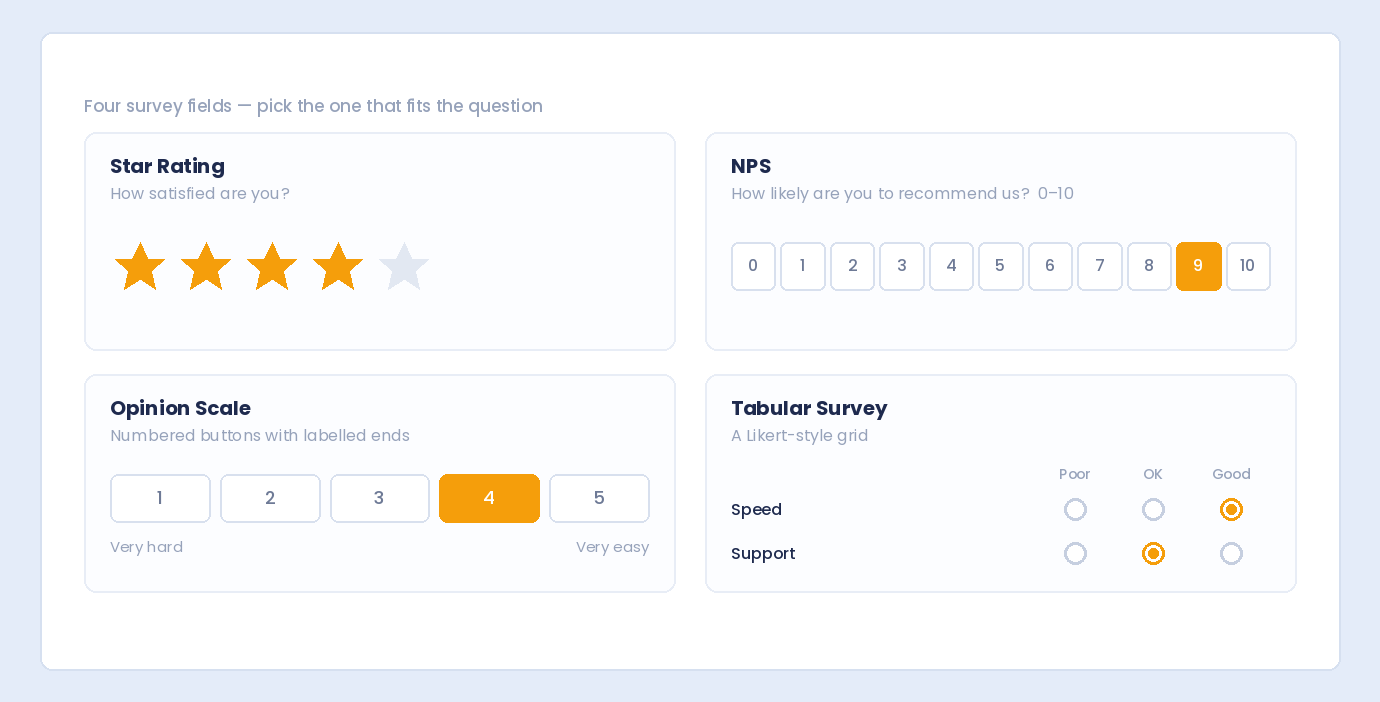
  3. Use appropriate field types:
    • Radio buttons for single-choice questions
    • Checkboxes for multi-select questions
    • Dropdowns for long option lists
    • Rating scale (radio buttons 1-5)
    • Textarea for open-ended questions

Step 4: Set Up Conditional Rules

For each conditional field:

  1. Click the field to open settings
  2. Find Conditional Logic section
  3. Enable conditional logic
  4. Set the condition:
    • Show this field IF
    • Field: [Select branch question]
    • Condition: equals / not equals / contains
    • Value: [The triggering answer]

Example Rule

“Show satisfaction questions IF ‘Have you purchased?’ equals ‘Yes'”

Step 5: Test All Paths

Critical: Test every possible path through your survey:

  1. Preview the form
  2. Select answer A → Verify correct questions appear
  3. Start over, select answer B → Verify different questions appear
  4. Test all combinations

Branching Logic Best Practices

1. Keep It Simple

Start with simple branching:

  • 1-2 branch points maximum
  • 2-3 paths maximum
  • Complex branching confuses respondents and you

2. One Branch Point at a Time

Avoid nested branching (branches within branches) when possible. It’s hard to manage and test.

3. Always Have an Exit Path

Every respondent should reach the end. Don’t create paths that dead-end or loop infinitely.

4. Keep Core Questions Universal

Some questions should appear for everyone:

  • Demographics
  • Overall satisfaction
  • Final comments

Put these outside branch points.

5. Label Sections Clearly

Help respondents understand context:

  • “Now we’d like to ask about your recent purchase…”
  • “The following questions are about our website…”

6. Test with Real Users

Before launching:

  • Have colleagues take the survey
  • Ask them to try different paths
  • Get feedback on flow and clarity

7. Document Your Logic

Keep notes on your branching rules:

  • Which questions are conditional
  • What triggers each branch
  • Helps with future edits

Survey Question Types

Branch Point Questions

Best as first questions in a section:

Yes/No Questions

Have you used our service before?
○ Yes  ○ No

Multiple Choice (Single Select)

What best describes your role?
○ Decision Maker
○ Influencer
○ End User
○ Evaluator

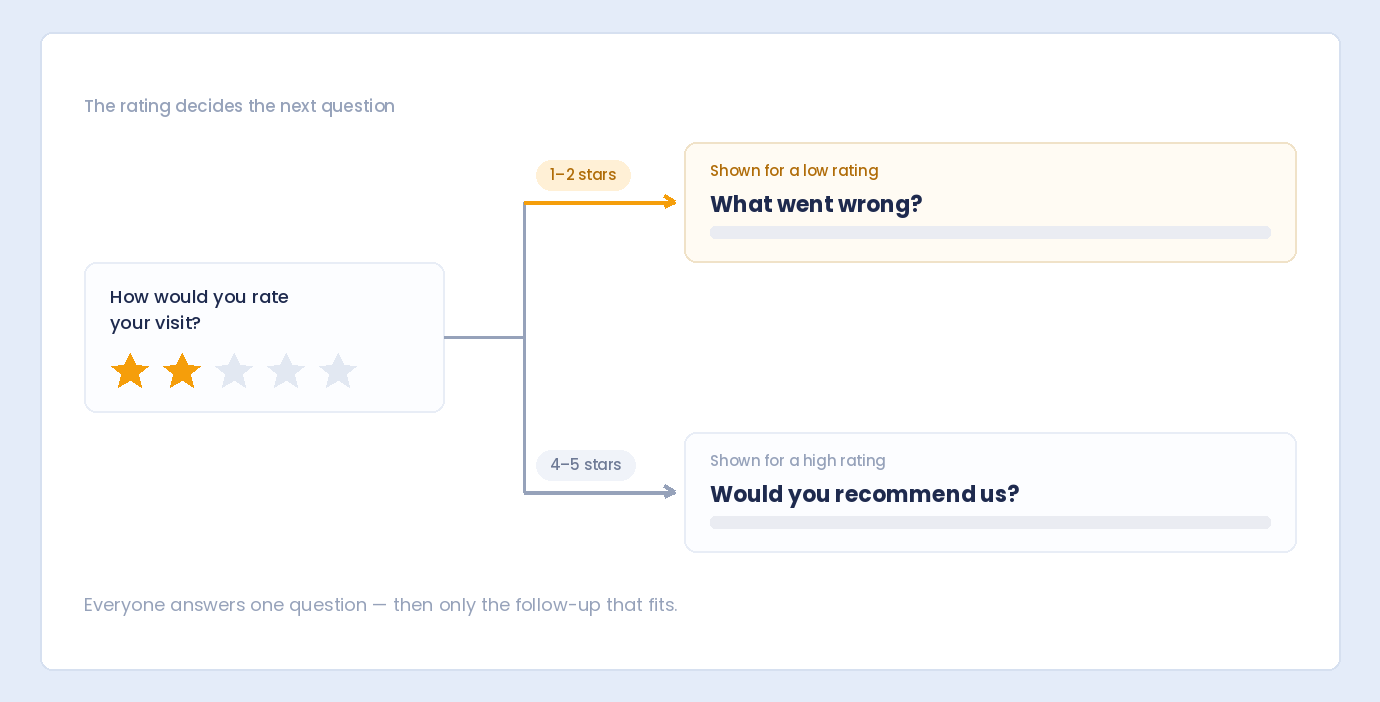
Rating with Threshold

How satisfied are you? (1-5)
○ 1  ○ 2  ○ 3  ○ 4  ○ 5
→ If 1-2: Show improvement questions
→ If 4-5: Show testimonial request

Follow-Up Questions

Shown conditionally based on branch:

Open-Ended

What specifically disappointed you?
[                              ]

Multi-Select

Which features did you use? (Select all)
☐ Feature A
☐ Feature B
☐ Feature C

Scale/Rating

Rate the checkout process:
○ Very Difficult  ○ Difficult  ○ Neutral  ○ Easy  ○ Very Easy

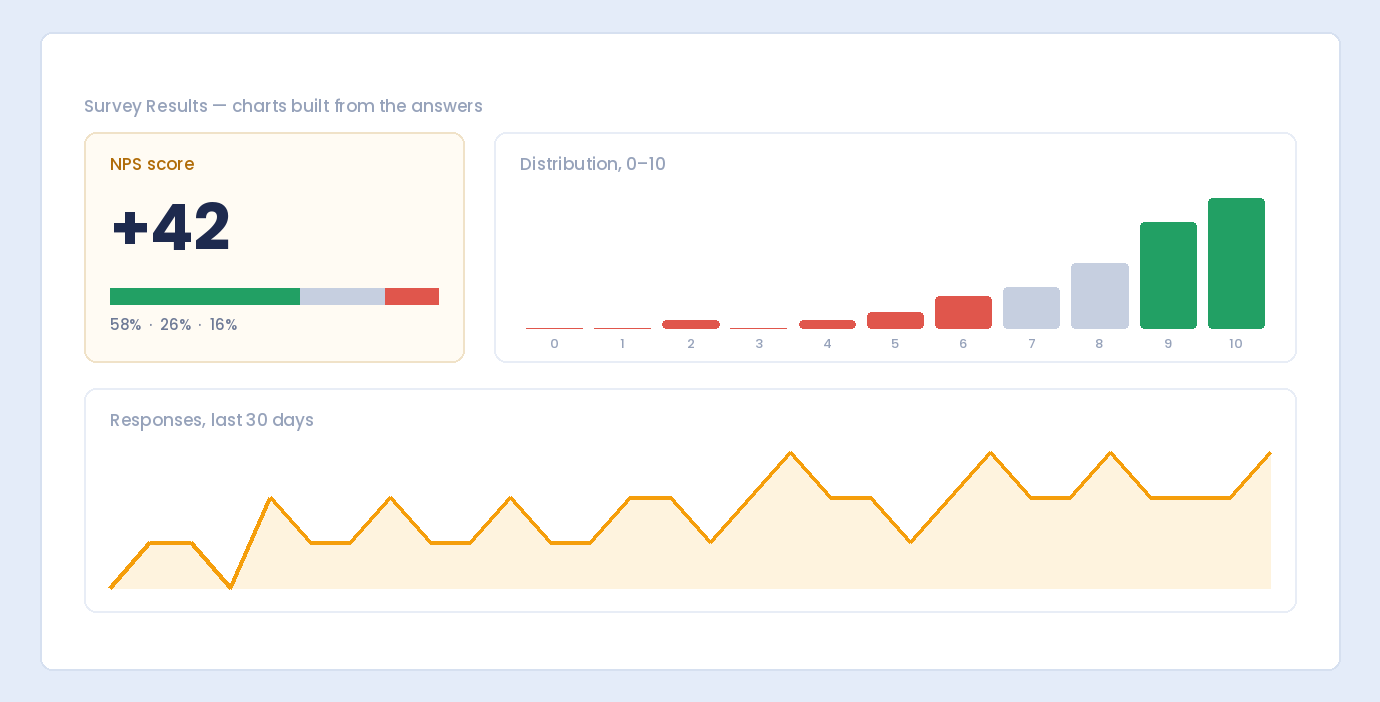
Analyzing Branching Survey Data

Segment Your Analysis

Analyze each branch separately:

  • Customer satisfaction (from purchasers)
  • Barrier analysis (from non-purchasers)

Compare Segments

Look for differences between groups:

  • What distinguishes satisfied vs. dissatisfied?
  • What prevents non-purchasers from buying?

Handle Missing Data

With branching, not everyone answers every question:

  • Don’t compare raw counts across branches
  • Use percentages within each segment
  • Note which questions were conditional

Export Considerations

When exporting to CSV:

  • Conditional questions show blank for respondents who didn’t see them
  • Filter data by branch point answer for segment analysis

Common Mistakes to Avoid

❌ Too Many Branches

Complex branching creates:

  • Testing nightmares
  • Confused respondents
  • Difficult analysis

❌ Dead-End Paths

Every path must reach a logical end. Don’t leave respondents stranded.

❌ Inconsistent Experiences

If one path has 20 questions and another has 3, it feels unbalanced. Aim for similar lengths.

❌ No Testing

Branching that works in your head may break in reality. Always test every path.

❌ Forgetting Mobile

Dynamic surveys must work on mobile. Test on phone and tablet.

Frequently Asked Questions

How many branches should a survey have?

Start with 2-3 paths maximum. Complex branching (5+ paths) becomes difficult to manage and analyze.

Can I branch based on multiple questions?

Yes, with advanced conditional logic you can create rules like “Show IF Q1=Yes AND Q2=Product A”.

What happens to data from skipped questions?

Skipped questions appear blank/empty in submissions. This is expected—respondents didn’t see those questions.

Should demographic questions come before or after branches?

Usually at the end. Get core survey data first while engagement is high. Demographics can go after.

Can respondents go back and change answers?

Standard forms allow this. If they change a branch answer, conditional fields update accordingly.

Summary

Building surveys with branching logic:

  1. Plan your flow – Map questions and paths before building
  2. Identify branch points – Questions that split respondents
  3. Create conditional rules – Show/hide based on answers
  4. Keep it simple – 2-3 paths, minimal nesting
  5. Test every path – Verify all branches work correctly
  6. Analyze by segment – Each branch is a separate group

Conclusion

Branching logic transforms static questionnaires into intelligent, adaptive surveys. Respondents see only relevant questions, complete surveys faster, and provide higher-quality data.

Auto Form Builder with the Conditional Logic add-on gives you the tools to create professional branching surveys. Define conditions, show and hide questions dynamically, and deliver personalized survey experiences.

Ready to build smarter surveys? Download Auto Form Builder and start creating dynamic surveys with branching logic.

Leave a Reply

Your email address will not be published. Required fields are marked *